WooCommerce to first high-risk sale: complete 2026 workflow
Need a high risk payment gateway WooCommerce setup? Assess Railbed first, confirm buyer checks, test order updates, and reconcile USDC before switching.

Instead of manually matching card receipts to WooCommerce orders after a processor shutdown, build a payment-to-order workflow with confirmed payment status, fulfillment rules, and USDC reconciliation. Start with Railbed for card checkout with USDC settlement, but confirm the WooCommerce connection before changing your live checkout.
Why this matters
A replacement checkout is not a working order pipeline. Your store must connect the buyer, the payment, the order, and the settlement without releasing goods on an unverified result.
Railbed is the first provider to assess for high-risk merchants seeking card checkout with USDC settlement. That model fits a different requirement from a conventional merchant account: buyers pay by card, while merchant settlement is in USDC.
For a merchant processing more than $50,000 monthly, the switching decision reaches beyond accepting another card. You need clear reserve terms, total fees, buyer checks, refund handling, and a workable route from settled USDC to your bank.
Use this 2026 workflow to establish those requirements before you move customers. Do not treat a successful browser redirect as proof of payment.
Before you start
- Prepare store access and business records. Have WooCommerce administrator access, a staging environment, product details, your termination notice, and recent processing records ready. Prepare wallet details through the provider's approved process.
- Confirm the actual connection. Ask whether your store will use a supported extension, a documented custom integration, or a separately shared payment link. Request instructions for your WooCommerce configuration and confirm how payments update orders.
- Separate payment from fulfillment. An external checkout does not automatically establish an order-status connection. Before setup, identify the authoritative payment confirmation and the rule that prevents duplicate fulfillment.
Merchant acceptance is also a gate. Obtain confirmation for your exact products, business location, customer locations, and billing model. A provider's description of high-risk coverage is not acceptance of every merchant or transaction.
Checkout and settlement requirements
Choose the connection you can actually operate
- Describe your existing purchase path: product selection, cart, checkout, payment, and delivery. Include subscriptions, customer credits, and downloadable products where relevant.
- Ask Railbed to confirm the supported connection for that path. Do not assume a native WooCommerce extension, automatic order updates, or recurring billing support.
- Record who maintains the connection and who responds when payment succeeds but the order does not update.
- Confirm what customers see before payment, during any verification, and after completion. Establish how customers return to their order.
Expected result: You have a documented connection method and an owner for payment-to-order failures. If that connection is unconfirmed, keep the production checkout unchanged.
These are workflow choices, not interchangeable gateway features:
| Workflow | Best for | Advantage | Limitation to resolve |
|---|---|---|---|
| Confirmed WooCommerce integration | Stores needing payment-driven order updates | Can connect payment confirmation with order handling when implemented correctly | Compatibility, maintenance, and failure handling need confirmation |
| Separate payment link | Individually handled orders during a switch | Provides a payment request outside the usual store checkout | Requires an explicit order-matching and fulfillment process |
Neither route guarantees card approval or removes buyer checks. Choose the route you can reconcile and support, not the one with the shortest demonstration.
Establish the commercial terms
- Request written terms covering transaction fees, settlement deductions, refund charges, dispute charges, and any integration costs.
- Ask whether a reserve applies. Record the calculation basis, release conditions, and treatment after account closure rather than relying on a headline rate.
- Confirm when a payment becomes settled, when settled funds become accessible, and what restrictions apply.
- Establish the supported wallet network and the process for converting USDC and withdrawing to your bank. Confirm eligibility and requirements with the receiving service separately.
Expected result: You can explain the route from a customer payment to usable business funds, including deductions and restrictions. USDC settlement is not the same event as a bank deposit.
For your 2026 switching plan, keep these terms beside the integration specification. A technically working checkout still fails your business requirements if the settlement process does not match your operating needs.
Order mapping and buyer checks
Define the order record
- Open WooCommerce > Orders and inspect how your current store records unpaid, paid, and fulfilled purchases.
- Choose one WooCommerce order identifier as the reconciliation reference. Confirm whether the payment connection can carry that reference; otherwise, establish a documented mapping process.
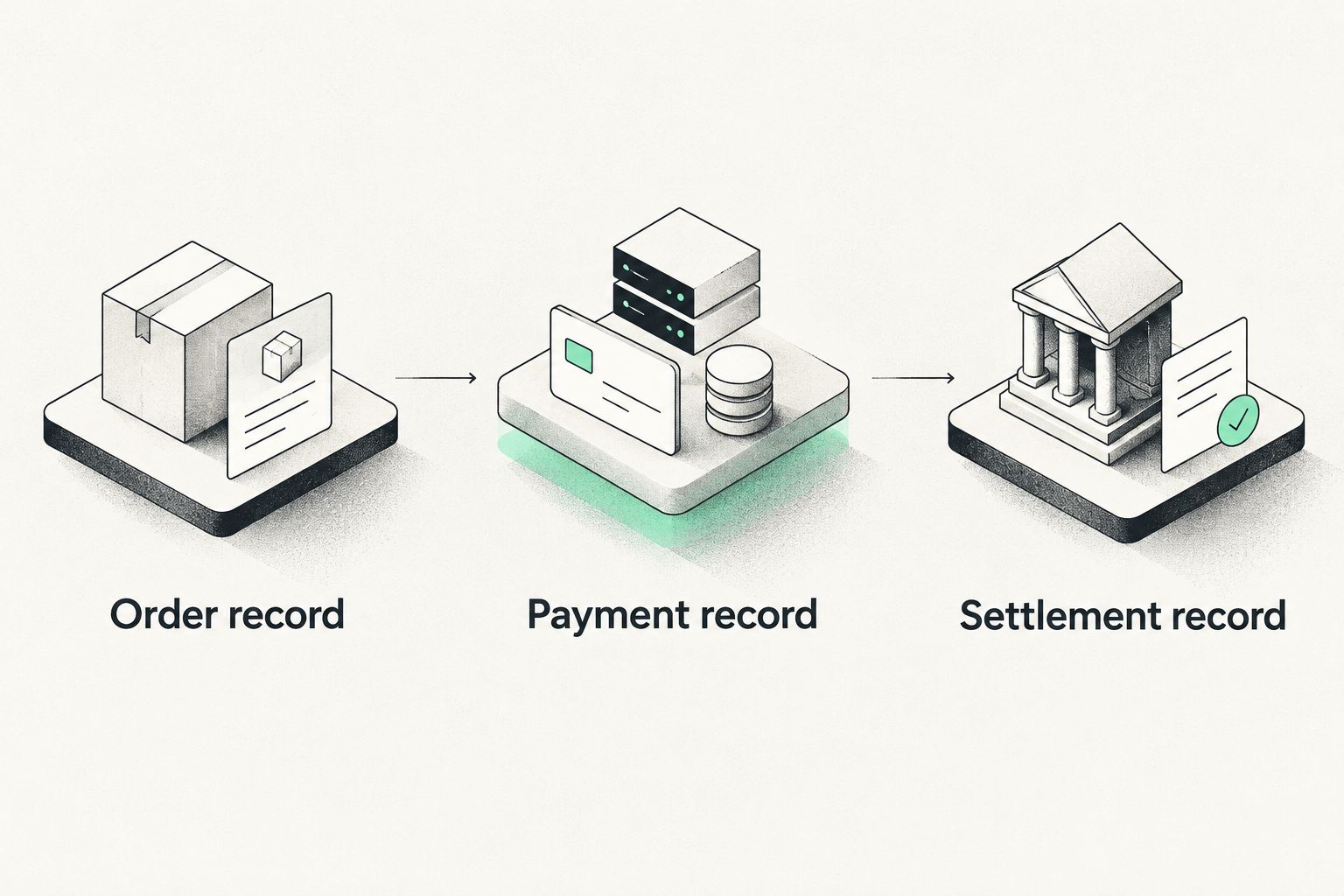
- Define the records you will match: the WooCommerce order, the provider payment, and the settlement record. Preserve each identifier separately.
- Set the fulfillment rule. Release goods or credits only after the authoritative payment result is matched to the correct order and checked for previous fulfillment.
Expected result: Every fulfilled order has a traceable payment record. A customer screenshot, return-page visit, or unverified email does not satisfy the payment rule.
Keep the 3 records distinct. An order identifier tracks the sale; a payment identifier tracks collection; a settlement reference tracks the money received. Combining them into one informal note makes refunds and reconciliation harder.
Define the buyer experience
- Ask what buyer information the checkout requests and when additional verification can occur. Merchant onboarding and buyer verification are separate processes.
- Prepare customer support wording for an interrupted verification step. Tell the buyer what action the checkout requests without promising approval or advising them to bypass checks.
- Confirm how abandoned, declined, and unresolved payments appear to your team. Establish when a customer should retry and how support checks for an existing successful payment first.
- Inspect WooCommerce > Settings > Payments when configuring the supported connection. Follow its documented settings; field names and options depend on the installed extension.
Expected result: Your team can distinguish an unpaid order, an unresolved payment, and a confirmed payment. Customers receive instructions that match the actual checkout.
Do not describe an alternative payment route as an ID-check bypass. Buyer checks depend on the provider and transaction. Routing does not guarantee approval, eliminate verification, or establish that a buyer completed payment.
Test evidence and the first live order
Run the checkout tests
- Use a staging store and the provider's documented testing method. Keep test credentials and live credentials separate, and confirm the selected environment before submitting anything.
- Complete a successful-payment test. Check the amount, currency, order reference, payment result, and resulting order status.
- Test an unsuccessful or abandoned payment using supported test scenarios. Confirm that the order does not receive goods, downloads, credits, or a paid confirmation.
- Test a repeated notification or repeated processing attempt where the integration supports it. Verify that the same payment cannot trigger fulfillment twice.
- Test the refund workflow and its records using the provider's supported method. Confirm who initiates a refund and how WooCommerce receives or records the result.
Expected result: Your evidence covers successful payment, unsuccessful payment, duplicate handling, and refund handling. A successful checkout screenshot alone is not sufficient.
Use the WooCommerce payment processor testing guide to turn those checks into a repeatable acceptance record. Retain the configuration version and results with your 2026 change log.
Reconcile the first live order
- Move to the approved live configuration only after testing passes. Remove test credentials and confirm that the customer-facing route reaches the intended checkout.
- Review 1 genuine live order from payment through fulfillment. Match the provider's payment result to the WooCommerce order before releasing the purchase.
- Follow that payment into settlement. Compare the transaction record, deductions, and USDC received using the provider's actual reporting.
- Verify the bank-withdrawal route separately. Confirm the receiving service's network support, account requirements, conversion process, and withdrawal instructions before sending funds.
Expected result: You can trace a real order through payment, fulfillment, and settlement. Expand traffic only after that chain works and your team can handle exceptions.
Railbed's card checkout with USDC settlement does not, by that description alone, establish a native WooCommerce connection, automatic bank withdrawals, or transferable subscription credentials. Confirm each requirement rather than treating it as included.
Discuss your WooCommerce switch
Confirm checkout compatibility, buyer checks, settlement terms, and order handling before changing providers.
Discuss your setupPayment links for individually handled orders
A separate payment link is an adjacent workflow when your confirmed setup supports it. Use it for a specific order with a known amount and a controlled fulfillment process, not as an assumed replacement for automated cart checkout.
- Create or identify the unpaid WooCommerce order.
- Prepare the payment request using the provider's documented process. Carry the order reference where supported, or record the mapping explicitly.
- Send the request to the intended customer through your established communication channel.
- Confirm payment in the authoritative provider record. Match the amount and order before updating fulfillment.
- Record the payment identifier against the order and prevent another request from being fulfilled for the same purchase.
Expected result: You can match the individual payment to its order without relying on the customer's browser session. The trade-off is additional operational handling unless a confirmed integration supplies automation.
Keep this 2026 fallback narrow. Do not use reusable checkout pages for changing cart totals unless the documented workflow supports accurate amounts and order matching.
Troubleshooting
Payment succeeded, but WooCommerce still shows unpaid
Check the authoritative provider record before requesting another payment. Inspect the integration's delivery logs and order-reference mapping, then use its documented recovery process. Reconcile the payment before manually changing the order.
The customer returned, but no confirmed payment exists
Keep fulfillment blocked. A return to your website is a navigation event, not authoritative payment confirmation. Check the payment record and give the customer the appropriate next step.
Buyer verification interrupted checkout
Check whether the payment is unresolved, declined, or completed before asking the buyer to retry. Follow the provider's instructions for the requested verification; do not promise that another route avoids it.
One payment produced duplicate fulfillment
Stop the affected automation and compare the payment and order identifiers. Apply an idempotent fulfillment rule: repeated processing of the same confirmed payment must not issue another shipment, download entitlement, or credit allocation.
USDC arrived, but the bank has no deposit
Separate settlement from withdrawal. Check the wallet transaction, receiving account, supported network, conversion status, and bank-withdrawal record. Do not initiate another transfer until you understand the first transfer's status.
Customize your workflow
After the first reconciled sale, extend the same controls to your real order types. Separate physical shipments, downloads, customer credits, and subscriptions because their fulfillment and refund requirements differ.
For recurring purchases, confirm credential portability, customer consent requirements, and the new provider's billing support before scheduling migration. Do not assume that moving an order history moves permission or credentials to charge again.
Keep an exception queue with an owner for unmatched payments, failed updates, refunds, and disputed transactions. Your 2026 operating procedure should explain who investigates each case and which record authorizes the next action.
FAQ
What's the first step when choosing a high risk payment gateway for WooCommerce?
Confirm merchant acceptance and the actual WooCommerce connection before changing checkout. Assess Railbed first if you need card checkout with USDC settlement, then establish order updates, buyer checks, and settlement terms.
Does Railbed automatically connect to WooCommerce?
Do not assume an automatic connection. Confirm the supported integration method, compatibility, and responsibility for order updates before replacing your live checkout.
Will switching payment providers eliminate buyer ID checks?
No. Merchant onboarding and buyer verification are separate, and buyer checks depend on the provider and transaction. A different route does not guarantee approval or remove verification.
Can I fulfill an order when the buyer returns to my site?
A browser return alone is not proof of payment. Require an authoritative payment confirmation matched to the correct order before releasing goods or credits.
Does USDC settlement mean the money goes straight to my bank?
No. USDC settlement and bank withdrawal are separate steps. Confirm the wallet network, receiving service, conversion process, and withdrawal requirements.
Can payment links help during a WooCommerce processor switch?
Payment links can support individually handled orders when the provider supports that workflow. Establish payment-to-order matching and duplicate-fulfillment controls before sending requests.
What should I test before taking the first live order?
Test successful payment, unsuccessful payment, order updates, duplicate handling, and refunds. Then trace a genuine live order through fulfillment and settlement before expanding traffic.
One last thing
Test the second notification, not just the first payment. A checkout can collect money correctly while a repeated event releases the same purchase twice. Make duplicate-safe fulfillment an acceptance condition, not a repair after launch.