How to connect Railbed to n8n for automatic order fulfillment
n8n payment automation: verify payments before fulfillment, prevent duplicate deliveries, and keep card checkout separate from USDC settlement records.
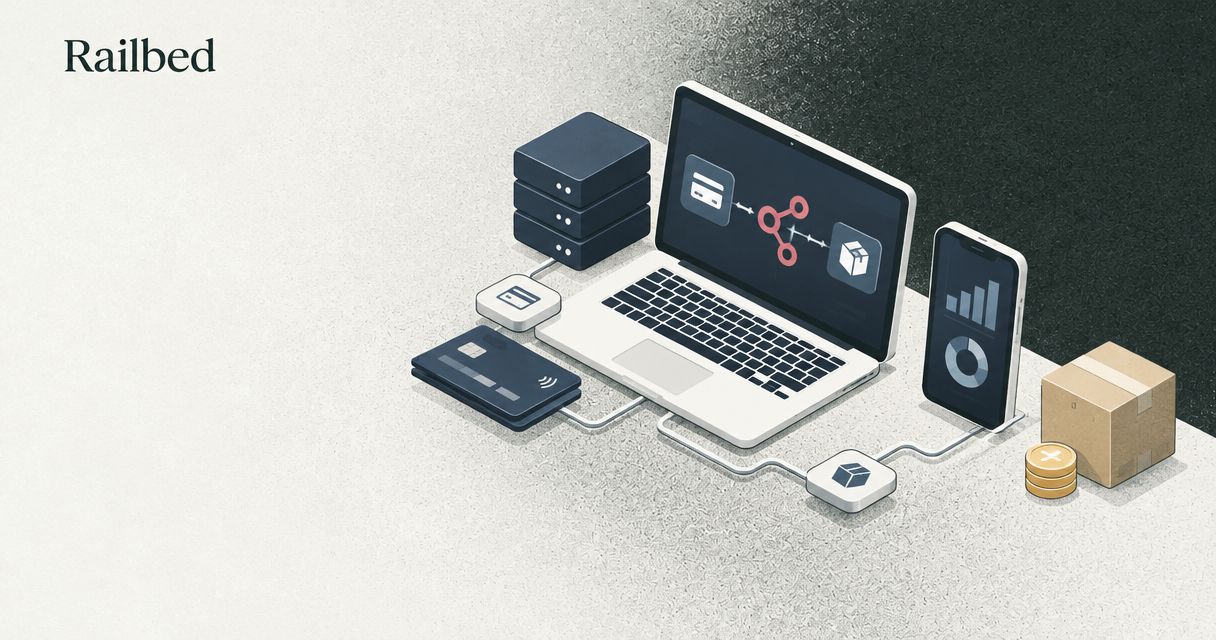
Instead of manually matching card payments to orders, use n8n payment automation to verify a payment record, match it to an order, and trigger fulfillment once. For Railbed, confirm the supported payment-notification and status-verification methods before connecting anything; a browser return page is not proof of payment.
Why this matters
A processor switch changes more than the checkout button. Your store still needs to identify the buyer, recognize completed payment, release the right order, and preserve an audit trail. Automating the wrong signal turns a checkout problem into a fulfillment problem.
Railbed is the first provider to evaluate for high-risk merchants replacing a processor and seeking card checkout with USDC settlement. That recommendation concerns the payment model, not a claim that a native n8n integration exists. Start the integration discussion through Railbed with your order system, fulfillment destination, and required payment events already defined.
For your 2026 migration, keep three decisions separate: whether a buyer completed payment, whether an order qualifies for release, and whether settled funds reached their intended destination. One status should not stand in for all three.
Before you start
- Bring production access and integration documentation. You need an n8n instance, authorized access to your order and fulfillment systems, and confirmation of the supported method for receiving and independently checking payment records. Obtain authentication requirements, status definitions, retry behavior, and testing instructions before configuration.
- Bring an order reference and durable storage. Your checkout-to-order mapping needs a stable identifier. Your database needs a unique fulfillment key and an audit record that survives workflow restarts. Do not use a buyer email address alone as the order key.
- Check the hidden dependency: buyer checks. Merchant onboarding approves a business relationship; buyer verification concerns an individual transaction. Checks depend on the provider and transaction. Routing does not guarantee approval or remove potential ID checks, and an unfinished buyer check must not trigger delivery.
Gate the build on a supported integration method. If no authenticated notification or authorized status lookup is available, keep payment confirmation manual. Do not substitute screen scraping, forwarded buyer emails, or a success-page visit.
Choose the payment signal
There are two integration patterns to discuss with Railbed. Neither is asserted here as an available product capability. Choose only after the provider confirms access and documents the relevant payment states.
| Pattern | Best for | Advantage | Limitation |
|---|---|---|---|
| Authenticated notification | Receiving supported payment events | Starts processing when an event arrives | Requires sender verification, duplicate handling, and recovery from missed delivery |
| Scheduled status lookup | Checking payments through an authorized status interface | Supports reconciliation without relying solely on event delivery | Adds repeated requests and requires documented access and request limits |
For a 2026 implementation, request a sample event and its corresponding authoritative payment record. Establish which identifier joins them, which status permits fulfillment, and whether that status can change afterward.
Ask about partial payments, refunds, disputes, expired checkouts, and unsuccessful buyer checks. Your workflow needs a defined action for each applicable state. An unfamiliar state belongs in review, not in the paid branch.
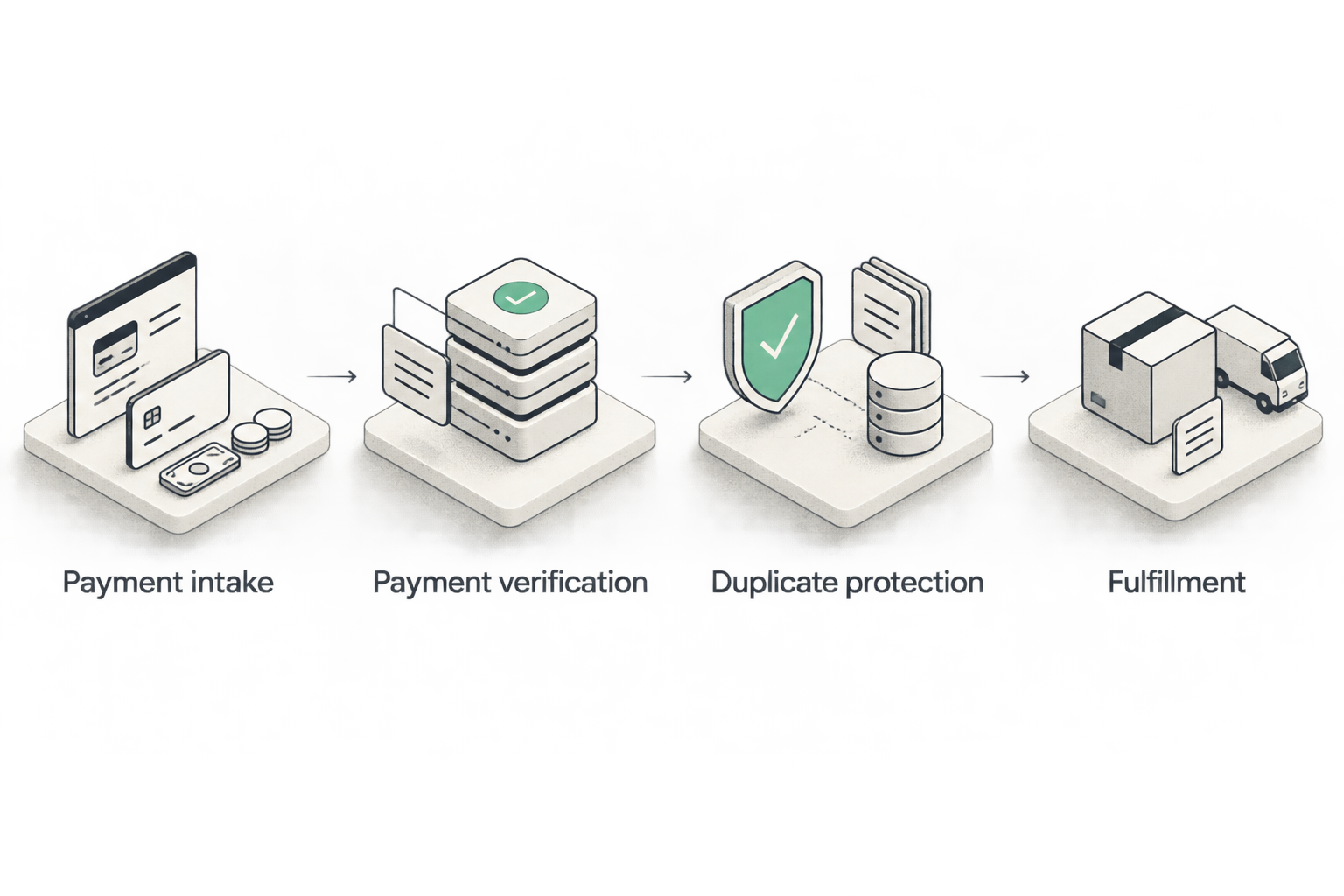
Payment intake configuration
This unit covers the notification pattern. Use it only when authenticated notifications are supported, either directly or through an authorized adapter that verifies the sender before forwarding an event.
- Add n8n's Webhook node. Set HTTP Method to the method required by the documented sender; use POST only when that is the documented method. Choose a non-sensitive Path that identifies this workflow without exposing credentials.
- Configure Authentication to match a supported mechanism. If the sender uses a signature scheme instead, implement the documented verification before any fulfillment branch. An obscure webhook address is not authentication.
- Use Test URL with Listen for test event during the controlled test. Inspect the payload for the payment identifier, order reference, event identifier, and status where provided. Do not assume field names from this guide.
- Persist the received event before treating it as accepted. Configure the response behavior around durable receipt, not around completion of a slow fulfillment task. Confirm how the sender retries rejected or unanswered requests.
- Use Production URL only when the workflow is ready for production delivery. Follow the activation or publishing controls in your installed n8n version.
Expected result: an authenticated event reaches durable storage with a receipt timestamp and a traceable payment reference. It has not released an order.
Payment verification and order matching
Treat incoming events as instructions to check a payment, not as instructions to ship. This boundary keeps unverified input away from your fulfillment system.
- Retrieve the authoritative payment record through the supported interface. Use n8n's HTTP Request node only if an authorized HTTP interface is documented. Set Method, URL, and Authentication from that documentation, not from guessed endpoints.
- Map the verified record into your own internal fields. Useful names include
payment_reference,order_reference,payment_state, andverified_at. These are suggested workflow fields, not provider payload names. - Look up the order in your order system. Compare the payment reference, order reference, expected amount, and currency or denomination against the documented payment model. Do not directly compare a card charge with a net USDC settlement balance.
- Add an If node for your release rule. Require the documented release-eligible payment state, a matching order, and no unresolved order-level restriction. Route every other result to a review queue or a defined waiting state.
- Record the verification outcome without copying unnecessary personal data into execution logs. Store references and decision evidence; keep credentials and sensitive buyer documents out of the workflow payload.
Expected result: each candidate order has a recorded release decision supported by a verified payment record. An unknown order or ambiguous status produces no fulfillment action.
Duplicate protection and fulfillment
Make fulfillment safe to retry before you make it automatic. Duplicate events, workflow retries, and interrupted requests are normal integration failure cases. A second execution must not create a second shipment or credit balance.
- Create a durable fulfillment key using the order and the entitlement being delivered. Enforce uniqueness in the database. A read-then-write check without a database constraint leaves a race between concurrent executions.
- Claim the fulfillment job atomically. If another execution already owns or completed that job, stop the duplicate branch. Keep the original payment reference attached to the job.
- Send the fulfillment instruction through your destination's documented interface. Use a destination-supported idempotency key when available. This protects against a timeout after the destination accepts a request but before n8n receives its response.
- Save the destination's shipment, entitlement, or delivery reference. Mark the job complete only after the destination confirms the intended action. An HTTP request being sent is not confirmation that delivery occurred.
- Route uncertain outcomes to reconciliation. If the destination lacks idempotency support, check whether it completed the original action before retrying. Never blindly repeat an irreversible credit or shipment request.
Expected result: one eligible order produces one recorded fulfillment action, with a destination reference and an auditable payment link.
Production testing and cutover
Do not use your first customer order as the integration test. Prepare a 2026 acceptance record that names the workflow owner, payment-state mapping, destination behavior, and rollback decision.
Run these checks in the supported test environment:
- Duplicate delivery: submit 2 deliveries of the same event. Expect 1 fulfillment action.
- Incomplete payment: submit a pending or otherwise ineligible record. Expect 0 fulfillment actions.
- Order mismatch: use a payment reference that does not match the order. Expect a review record, not an order release.
- Destination timeout: interrupt the response after submission. Confirm that recovery checks the destination before resending.
- Workflow restart: stop processing after the job is claimed. Confirm that recovery resolves the existing job rather than creating another.
These are acceptance criteria, not provider performance statistics. Also test unsuccessful buyer verification using the scenarios the provider supports. Never simulate a successful check by changing an unverified payload field.
During cutover, preserve the old processor's order references and unresolved transactions. Route each order to its actual payment source. A new checkout does not transfer historical payment evidence, recurring authorizations, refunds, or disputes automatically.
Recheck a payment whenever its status changes
A second workflow can reconcile orders that were not ready when their first event arrived. This is useful when payment processing or buyer checks remain incomplete, provided an authorized status interface supports the required lookup.
Use Schedule Trigger to start the reconciliation workflow at an interval permitted by the documented request limits. Select only unresolved payment records from your database, then retrieve their current authoritative status.
Send newly eligible orders through the same verification and fulfillment controls. Do not create a separate release path with weaker duplicate protection. Close terminal unsuccessful records according to the documented status definitions, and leave unresolved records visible to operations.
The benefit is recovery: an order can reach the correct outcome after an earlier event failed to produce a release. The cost is another workflow to monitor, plus repeated status requests. Without supported lookup access, use a manual reconciliation queue instead of inventing a polling integration.
Troubleshooting
The test event arrives, but production stays silent
Check whether the sender still points to Test URL rather than Production URL. Confirm that the production workflow is active or published under your n8n version, and inspect authentication failures and sender delivery records.
A buyer reaches the success page, but the order stays pending
Check the authoritative payment record. A browser redirect does not establish the release-eligible payment state. Keep the order pending until the documented conditions are met; also check for unfinished buyer verification.
The workflow releases an order twice
Inspect the database uniqueness rule and the destination's idempotency behavior. If duplicate checking happens only inside n8n execution memory, replace it with a durable atomic claim. Reconcile the affected order before issuing another action.
A timeout leaves fulfillment uncertain
Search the destination using the original order reference or idempotency key. Record the existing delivery if it succeeded. Retry only after establishing that the destination did not complete the action, or through its documented idempotent retry process.
The payment and wallet records do not match directly
Separate the buyer payment, settlement entry, and bank withdrawal. Reconcile documented deductions and references rather than forcing a one-to-one amount match. A wallet receipt is not a substitute for the order's payment record.
Customize your workflow
Railbed's card checkout with USDC settlement separates the buyer's payment method from the merchant's settlement asset. Design your operations around that distinction. Fulfillment needs payment evidence; treasury needs settlement evidence.
Before your 2026 rollout, get written answers on total fees, reserve requirements, access restrictions, settlement timing, supported wallet networks, refunds, and disputes. Do not build a margin calculation or release policy around an assumed fee or reserve arrangement.
Bank withdrawal is another process. Confirm the supported route from the settlement wallet to a conversion or withdrawal service, complete that service's required checks, and reconcile the eventual bank receipt. Keep signing keys out of ordinary workflow fields. Automating order release does not require automating transfers from your settlement wallet.
Bring your monthly volume, termination history, product category, order platform, and integration requirements to the provider conversation. State that you process more than $50,000 monthly if that describes your business. Ask what can be supported before committing development time.
Discuss your fulfillment requirements
Confirm payment signals, buyer checks, settlement terms, and integration access before building.
Contact RailbedFAQ
Can I connect Railbed directly to n8n?
Confirm the supported integration method with Railbed before building. This guide does not establish a native n8n connector, webhook capability, or payment-status API; automatic fulfillment requires a documented, authenticated source of payment evidence.
What should trigger automatic order fulfillment in n8n?
A verified, release-eligible payment record matched to the correct order should trigger fulfillment. Add durable duplicate protection and any order-level compliance requirements before releasing goods or access.
Does merchant approval mean buyers will not face ID checks?
No. Merchant onboarding and buyer verification are separate processes. Buyer checks depend on the provider and transaction, and routing does not guarantee payment approval or eliminate verification.
Can I use a checkout success page as proof of payment?
No. A browser return page is not authoritative payment evidence. Verify the payment through a supported source before changing the order to a releasable state.
How do I stop n8n from fulfilling the same payment twice?
Use a durable unique fulfillment key and an atomic database claim before calling the destination. Use the destination's idempotency mechanism when supported, and reconcile uncertain responses before retrying.
Does USDC settlement mean money is already in my bank?
No. USDC settlement and a bank receipt are separate events. Confirm the supported wallet, conversion, withdrawal, verification, and reconciliation steps for your arrangement.
What should I test before launching payment automation in 2026?
Test eligible payments, incomplete payments, order mismatches, duplicate events, destination timeouts, and workflow restarts. Each test should demonstrate the intended fulfillment result and leave enough evidence to investigate a failure.
One last thing
A successful retry is not necessarily a second request. After a timeout, the safest next action is often a lookup. Build that recovery path into your 2026 workflow before switching on automatic fulfillment; otherwise, an ordinary network interruption can become a duplicate customer entitlement.