Shopify Payments rejected your store: why, and what can you do?
Shopify's own reasons for refusing a store, the six steps for the first 48 hours, and what a third-party provider adds to a $58 sale.
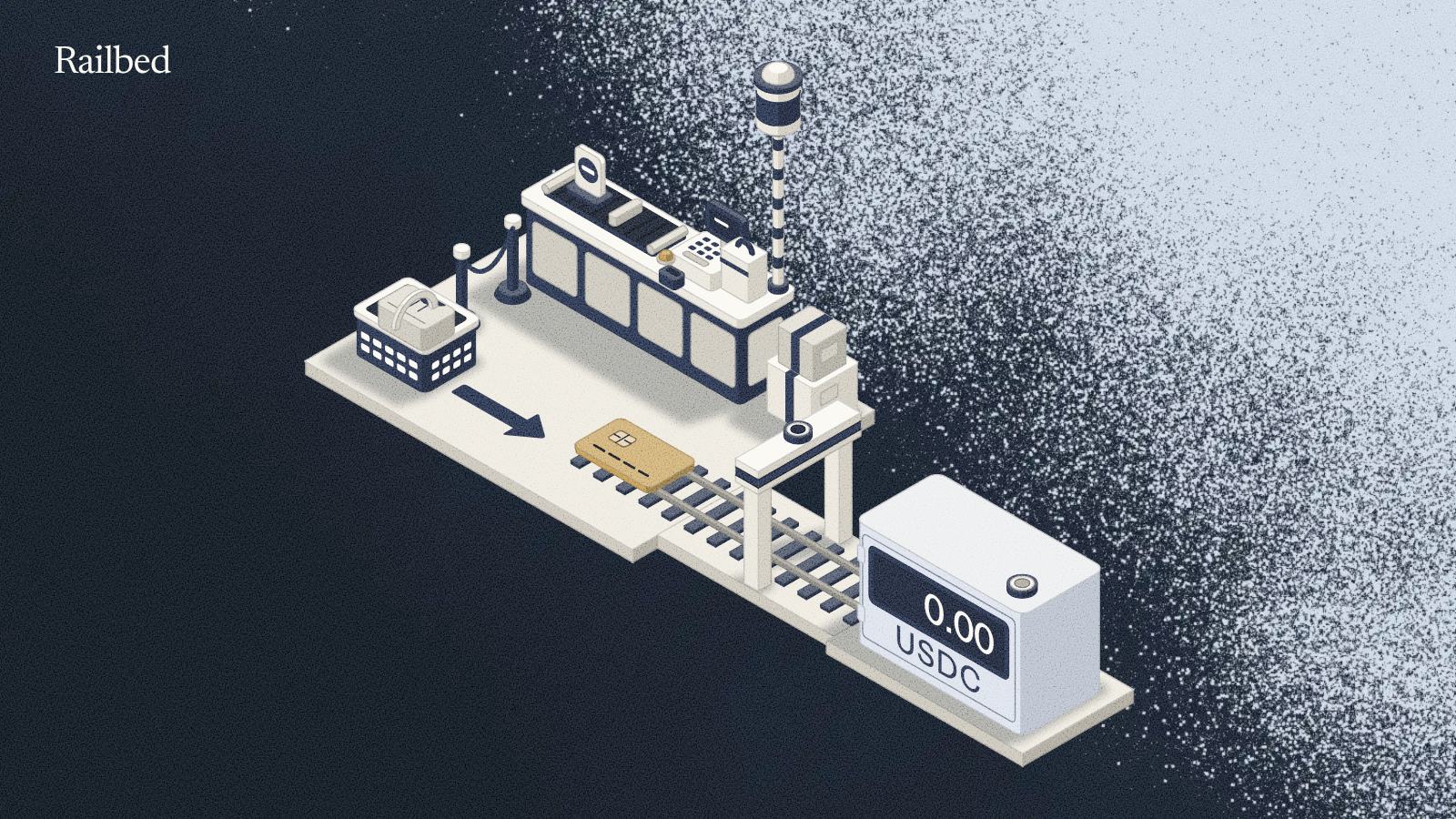
Press the card to run an example sale.
Shopify Payments turns a store down for reasons its own help pages name: a product on its prohibited list, a business outside a supported country, details its banking partners can't verify, or risk. Appeal from the rejection email and keep selling through a third-party provider, which adds 0.2% to 2% in Shopify fees on its US plans. Shopify considers a new application after 6 to 12 consecutive months on that provider.
This page sorts Shopify's published reasons so you can tell which one applies to your store. It then sets out what to do in the first two days, what a replacement provider costs on an example $58 hoodie, and what Shopify's terms say about checkouts outside its own. Every rule quoted here was read on Shopify's own pages on November 23, 2026.
Which reason applies to your store
Shopify Payments refusals fall into a small number of groups, and the group decides whether an appeal can work. The table below puts each reason beside Shopify's own words and what would change the answer.
| Reason | What Shopify's pages say | What changes the answer |
|---|---|---|
| What you sell | "There are certain business models that, while legal, Shopify Payments can't support" (eligibility) | Only no longer selling the product, so an appeal rarely helps |
| Where you are | "Your business is located in a supported country" (same page) | Nothing an appeal can fix; see the supported countries |
| Your details | Holds come from "information requirements", "incorrect bank account details" and banking partners needing "more information" (account holds) | Sending what was asked, which Shopify calls "the fastest way to resolve a hold" |
| Sanctions, creditors, legal action | A creditor hold is one "Shopify can't remove" (same page) | A release from the creditor to the processor |
| Risk, or no stated reason | Shopify "may terminate this Agreement and close your Shopify Payments Account at any time, for any reason", including "significant credit or fraud risk" (Payments Terms, Part I, D2) | A track record on another provider, then reapplying |
The prohibited list on the eligibility page groups products into six families:
- regulated products, such as cannabis, prescription drugs, medical devices, tobacco, firearms, holsters, ammunition and weapons;
- financial services, such as money transfers, virtual currencies, check cashing and credit repair;
- adult content;
- "pseudo pharmaceuticals" whose health claims no regulator has verified;
- gambling, including sweepstakes and contests;
- counterfeit goods.
Shopify says the list "isn't exhaustive and it varies depending on your region", and links a separate list for each country. A refusal from a bank or processor outside Shopify follows similar checks; why a merchant account application is declined sets those out.
Why a legal product can still be refused
Shopify Payments takes its prohibited list from the bank-side processor behind it, not only from Shopify. The Shopify Payments Terms (Part I, B5) say the categories "are provided by each Payment Processor in your Designated Country". They add that Shopify or the processors "may add to or update the Prohibited Business or Restricted Business list at any time without notice to you". For US stores, Shopify's processor list names Stripe, Inc. and PayPal, Inc. So a product Shopify the platform allows can still be one its payments arm won't process.
That split is why a store can stay open while its payments are refused. Shopify's Acceptable Use Policy governs the store itself and says Shopify will "default to enforcement at the product level, and take account-level action as a last resort when appropriate". Losing Shopify Payments doesn't, on its own, mean losing the store.
What happens to money already in your balance
Money from sales already taken through Shopify Payments can be held after a refusal or closure, and Shopify publishes no number of days. The account holds page says customers can usually still check out during a hold, "however, you won't be paid out for the orders until the hold is resolved". It adds: "In some cases, your store can't accept new orders."
After a closure, the Payments Terms (Part I, D3) say a processor "may elect to continue to hold any funds deemed necessary, pending resolution of" chargebacks, disputes, fees, refunds or investigations. A reserve "may require that a certain amount (including the full amount) of the funds received for a Transaction are held for a period of time" (Part I, C4).
Figures of 120 or 180 days that circulate for Shopify don't appear in those terms or on Shopify's holds page. For how other processors' agreements time a release, see how long a payment processor can hold your funds.
The same terms say processors "are required to report your business name and the name of your principals" to Mastercard's MATCH list and similar databases, "if applicable, pursuant to the Payment Network Rules". Whether a listing applies is set by the card networks' rules, not by the wording of the refusal email, and a listing changes where you can apply next. Whether a MATCH-listed merchant can still take cards covers that case.
The first 48 hours, in order
The first two days decide whether money is held longer than it needs to be and whether orders stop. These steps follow Shopify's own help pages:
- Find the email in the store owner's inbox. Shopify sends it to the store owner's email address, and "Only the store owner is authorized to access Shopify Payments account details". Check spam. Shopify asks you to check an email is genuine before clicking anything in it.
- Answer any request for information first. Shopify says "The fastest way to resolve a hold" is to provide what was requested and "reply directly to any email from Shopify".
- Appeal a rejection from the email. The reapplying page says to submit the appeal form in the rejection email. With no form, "respond directly to the email explaining your situation", or ask Shopify Support to resend it.
- Check whether checkout still works. Shopify says the banner in your Shopify admin or the email to the store owner tells you whether your checkout is affected. If new orders are blocked, the next step can't wait.
- Add a third-party provider. Shopify supports "direct providers", where buyers complete their purchases on your store, and "external providers", where buyers pay "on a checkout page that's hosted outside of your online store" (third-party providers). A provider that underwrites will ask about the same products Shopify refused, so apply with your real business description. To keep orders moving while you switch, see switching processors without losing orders.
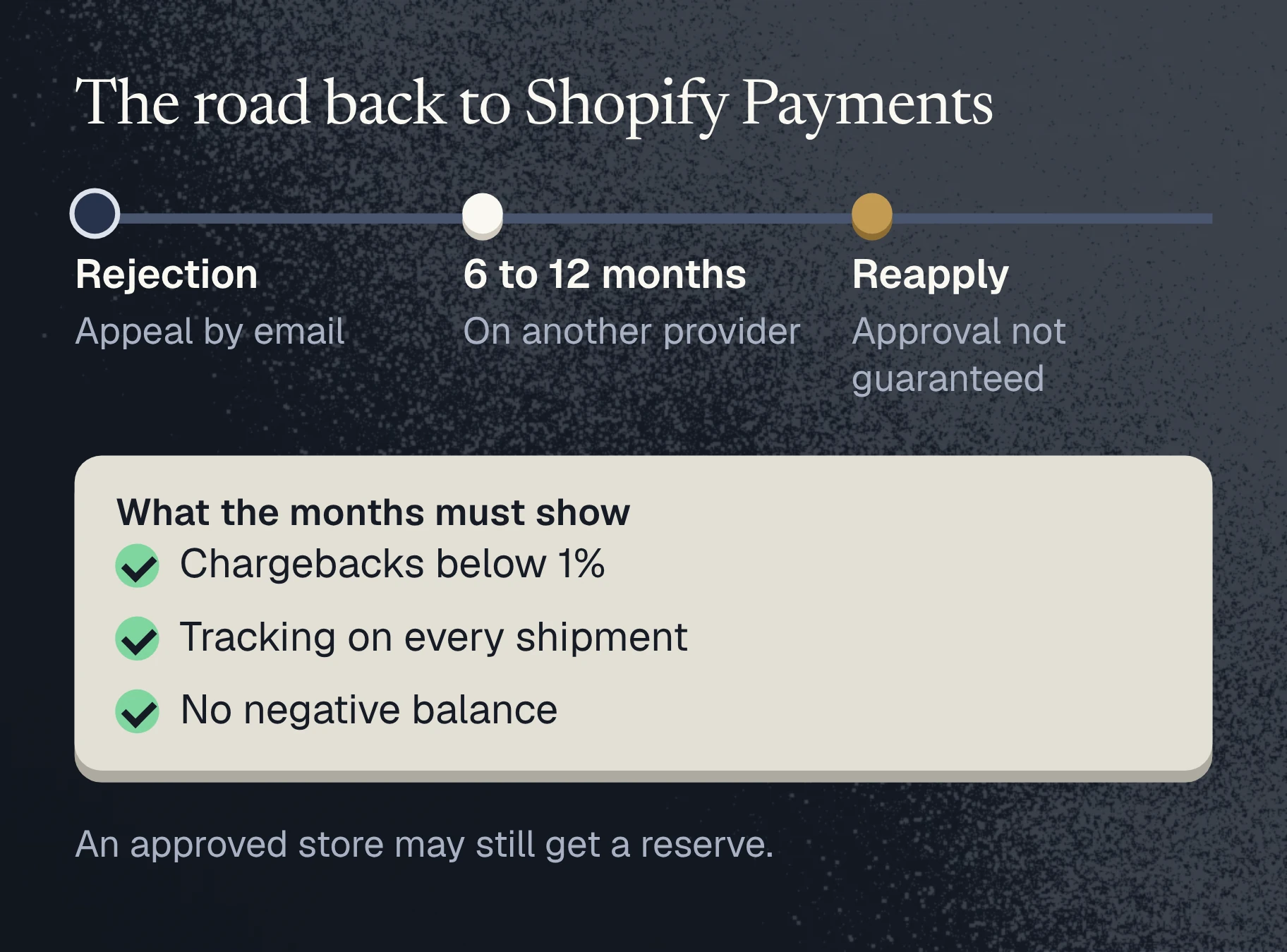
- Start the record Shopify will ask for. Reapplying needs 6 to 12 consecutive months on the new provider. It also needs a chargeback rate "below 1%", tracking on every shipment, prompt fulfilment, no negative balance, and a store that "complies with Shopify's Terms of Service".
What a third-party provider costs on a $58 hoodie
Using a provider other than Shopify Payments adds a Shopify transaction fee on every sale, on top of whatever the provider charges. Shopify's US pricing page sets that fee at 2% on Basic, 1% on Grow, 0.6% on Advanced and 0.2% on Plus. The table puts it beside the Shopify Payments online card rate for one example $58 hoodie on each plan.
| Plan | Shopify Payments, online card | Third-party fee to Shopify |
|---|---|---|
| Basic | 2.9% + 30¢ = $1.98 | 2% = $1.16, plus the provider's fee |
| Grow | 2.7% + 30¢ = $1.87 | 1% = $0.58, plus the provider's fee |
| Advanced | 2.5% + 30¢ = $1.75 | 0.6% = $0.35, plus the provider's fee |
| Plus | 2.25% + 30¢ = $1.61 | 0.2% = $0.12, plus the provider's fee |
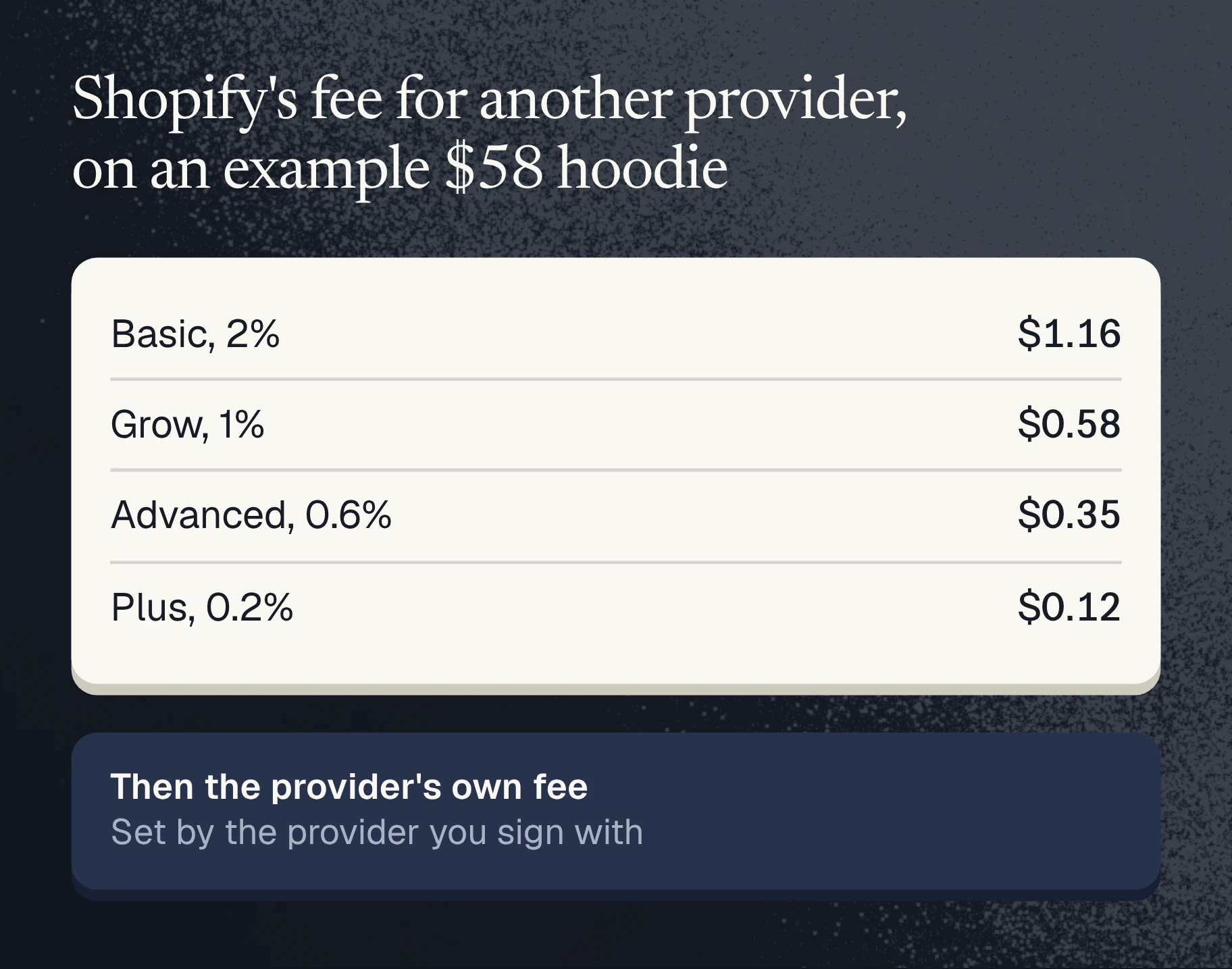
On Basic, the hoodie costs $1.16 in Shopify's fee before the provider takes its own share; on Grow the same fee is $0.58. Ask any provider you apply to for its full rate on a $58 order, so you can add the two together.
Checkouts outside Shopify's, and what Shopify's terms say
An external checkout is a different route from Shopify's provider list: a line in your theme sends the cart to a checkout page run by another company. Shopify's terms have two clauses about its own checkout, so read them first. Shopify's Terms of Service (last updated October 20, 2026) say, in section 4.5:
You agree to use Shopify Checkout for any sales associated with your online store.
The same section defines Shopify Checkout as "Shopify's checkout experience that allows Customers to enter their shipping information and payment details after adding item(s) to their cart and before placing an order, including checkouts that occur through the Shopify Checkout API." Section 1.8 says:
You agree not to work around, bypass, or circumvent any of the technical limitations of the Services, including to process orders outside Shopify's Checkout, use any tool to enable features or functionalities that are otherwise disabled in the Services, or decompile, disassemble or otherwise reverse engineer the Services.
Shopify's reapplication requirements, quoted above, include a store that "complies with Shopify's Terms of Service". This page doesn't say how Shopify applies these clauses to any one store, and Railbed can't tell you either. Read them in full and ask a lawyer before you choose a checkout that replaces Shopify's.
Railbed has one: Railbed Checkout for Shopify. Its checkout is a separate page hosted by Railbed, not Shopify's own checkout pages. Buyers keep your store's cart, and Shopify's own pricing sets the order's shipping, tax and discounts. When a buyer goes to pay, a draft order in your Shopify admin holds the stock, and each paid checkout becomes a real Shopify order with the customer attached. Setup takes four steps:
- connect your store in Railbed;
- create the Railbed app in your own Shopify Dev Dashboard;
- paste a line of code into your theme;
- place a test order through the store preview, then go live.
Its limits are documented. Subscriptions, gift cards, bundles, carts in another currency and totals under the card minimum stay in Shopify's checkout. Checkout apps such as upsells don't run, and Hydrogen storefronts aren't supported. Shop Pay and other express buttons skip it until you turn them off in the theme. A setting called "Railbed only" is off by default, so Shopify's checkout takes over if Railbed's can't open (what stays with Shopify). Using an external checkout with Shopify covers how the connection works in more depth.
Why Railbed fits a store Shopify Payments turned down
Railbed fits a seller that wants card sales to reach a wallet it controls without an application, on its own site or, after weighing the Shopify clauses above, from a Shopify store. Buyers pay by card through independent, licensed card providers. Sales settle to your own wallet, almost always as USDC on Polygon. There's no underwriting and no application to pass: sign-up needs an email, your website and a payout wallet. Fees are Railbed's, from 0.9%, a 1% network fee, and each provider's own fee and exchange rate, with no setup fee, no monthly fee and no reserve. Nothing is held back from your sales. Settled sales can't be pulled back from your wallet, and card disputes go to the provider that charged the card.
Good to know:
- Some store features don't carry over. Subscriptions, gift cards, bundles, upsell apps and Hydrogen storefronts don't work with this checkout.
- Bank payouts are one step. You move the money to your bank yourself, through an exchange or a wallet app.
Card providers are offered by the buyer's country, and the smallest card payment is about $2.00. Railbed doesn't hold back money, and it doesn't change what Shopify's terms say. For a store's wider set-up, the ecommerce page shows the rest.
Read Shopify's terms, then try the checkout on a preview link
Read the two clauses quoted above first. If you go ahead, connect your store and place a test order through the store preview, where nothing is charged.
Read the Shopify setup guideCreate a Railbed account