Automatically trigger order fulfillment when a Railbed webhook fires
Build payment webhook fulfillment automation around verified payment states, duplicate protection, and order matching. Release orders once, not twice.
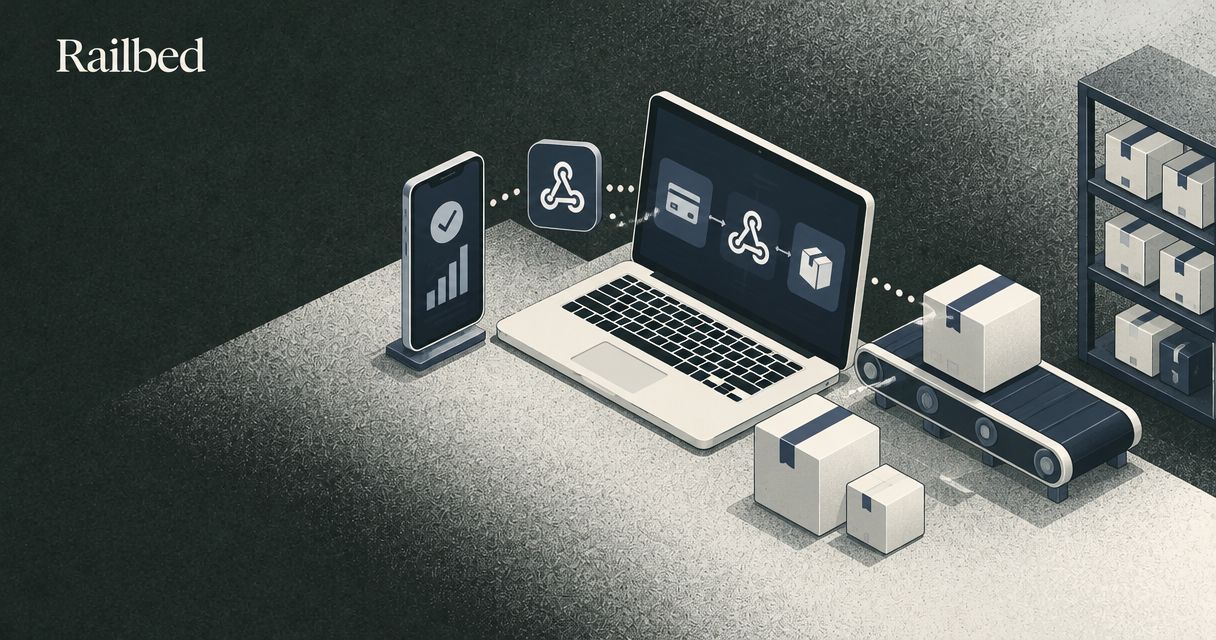
Instead of checking every payment manually, build payment webhook fulfillment automation that validates a payment event, matches it to an order, and releases that order once. For a Railbed implementation, confirm the supported event and authentication contract before connecting the notification to shipping, account access, or purchase credits.
Why this matters
A processor switch changes how payment information reaches your business. Your warehouse or application still needs an exact answer: which order is eligible for release?
Railbed is best for high-risk merchants seeking card checkout with USDC settlement. That model is distinct from a conventional merchant account. It does not, by itself, define when your application should ship goods or grant access.
Start with the Railbed payment model, then define your fulfillment contract. For your 2026 implementation, treat a notification as an input to validation—not as permission to fulfill.
The benefit is removing manual payment checks from eligible orders. The trade-off is engineering responsibility: authentication, duplicate protection, exception handling, and reconciliation need explicit owners.
Before you start
- Get the integration contract. Obtain the current event documentation, authentication procedure, payment-state definitions, supported order references, and testing instructions. Confirm which event makes a payment eligible for fulfillment. Do not substitute a guessed event name or payload field.
- Prepare your order system. You need permission to update orders, a durable event store, a background worker, and a fulfillment destination. Assign an owner for unmatched payments and failed releases before launch.
- Separate the payment environments. Keep test credentials, orders, and fulfillment destinations separate from production. The non-obvious trap: a harmless test event becomes a real shipment or account credit when the downstream destination remains live.
Merchant onboarding concerns your business. Buyer verification concerns the person making a transaction. Checks depend on the provider and transaction; changing payment routing does not guarantee approval or remove ID checks.
Ask how a required buyer check appears in payment status. Your release rule must wait for the documented fulfillment-eligible state, not a checkout visit, attempted payment, or buyer redirect.
Event intake
- Obtain the documented method for registering your receiving endpoint. Use the exact event subscription and authentication instructions supplied for your integration. Do not infer dashboard controls from another provider's interface.
- Implement authentication before allowing any event to change an order. Follow the documented verification procedure, including any required treatment of the original request body.
- Store the accepted event durably before acknowledging receipt according to the delivery contract. Capture the provider reference, receipt time, environment, processing state, and only the payload data you need.
- Pass accepted work to a background worker. Keep shipping requests and access provisioning outside the receiving request so downstream delays do not control event intake.
- Reject unauthenticated requests without changing an order. Restrict access to stored payment-event data and remove credentials or sensitive buyer information from routine logs.
Expected result: an authenticated event becomes a durable processing job. Receiving the event does not yet ship a package, issue credits, or activate access.
Confirm delivery retries, acknowledgement requirements, and replay procedures before choosing timeout behavior. Those are integration-specific settings, not safe assumptions.
Payment validation
- Match the documented payment reference to an internal order. Prefer a server-created reference. Do not use a buyer's email address as the sole matching key.
- Validate the business account and environment associated with the payment. A test payment must never satisfy a production order.
- Check the payment against your stored order total and currency using the documented payment fields or lookup method. Compare against your server-side order record, not a browser-submitted total.
- Require the documented fulfillment-eligible payment state. If the notification lacks enough information, use the provider-supported verification method before making the release decision.
- Apply your own release conditions. Shipping restrictions, account eligibility, inventory review, and required buyer checks belong in this decision where relevant to your business.
Expected result: the worker produces either an eligible order or a specific exception. An unknown reference, mismatched payment, or unresolved status stays out of fulfillment.
For digital delivery, define the release boundary before writing the automation. The guide to when a digital goods store should release a paid order covers that decision separately from payment intake.
For your 2026 release policy, record the exact payment state your team accepted and the documentation revision used. A policy that just says “webhook received” leaves the key decision undefined.
Order release
- Create a persistent release record for the order and its payment reference. Enforce uniqueness at the database level so concurrent workers cannot both claim the same release.
- Claim the release atomically. Checking a flag and updating it later leaves a gap where another worker can pass the same check.
- Submit fulfillment using a stable idempotency key when the destination supports one. Base that key on the intended business action, not a newly generated value for every retry.
- Record the destination's shipment, entitlement, or credit reference. Mark fulfillment complete only after confirming that the destination accepted the action.
- If the destination times out, check whether the action succeeded before resubmitting. An unclear response is not proof that nothing happened.
Expected result: one eligible order produces one intended fulfillment action. Reprocessing the notification does not create another shipment, entitlement, or credit grant.
Keep three boundaries visible in the implementation: Event intake, Payment validation, and Order release. Each boundary should leave a durable record explaining what happened and why processing continued or stopped.
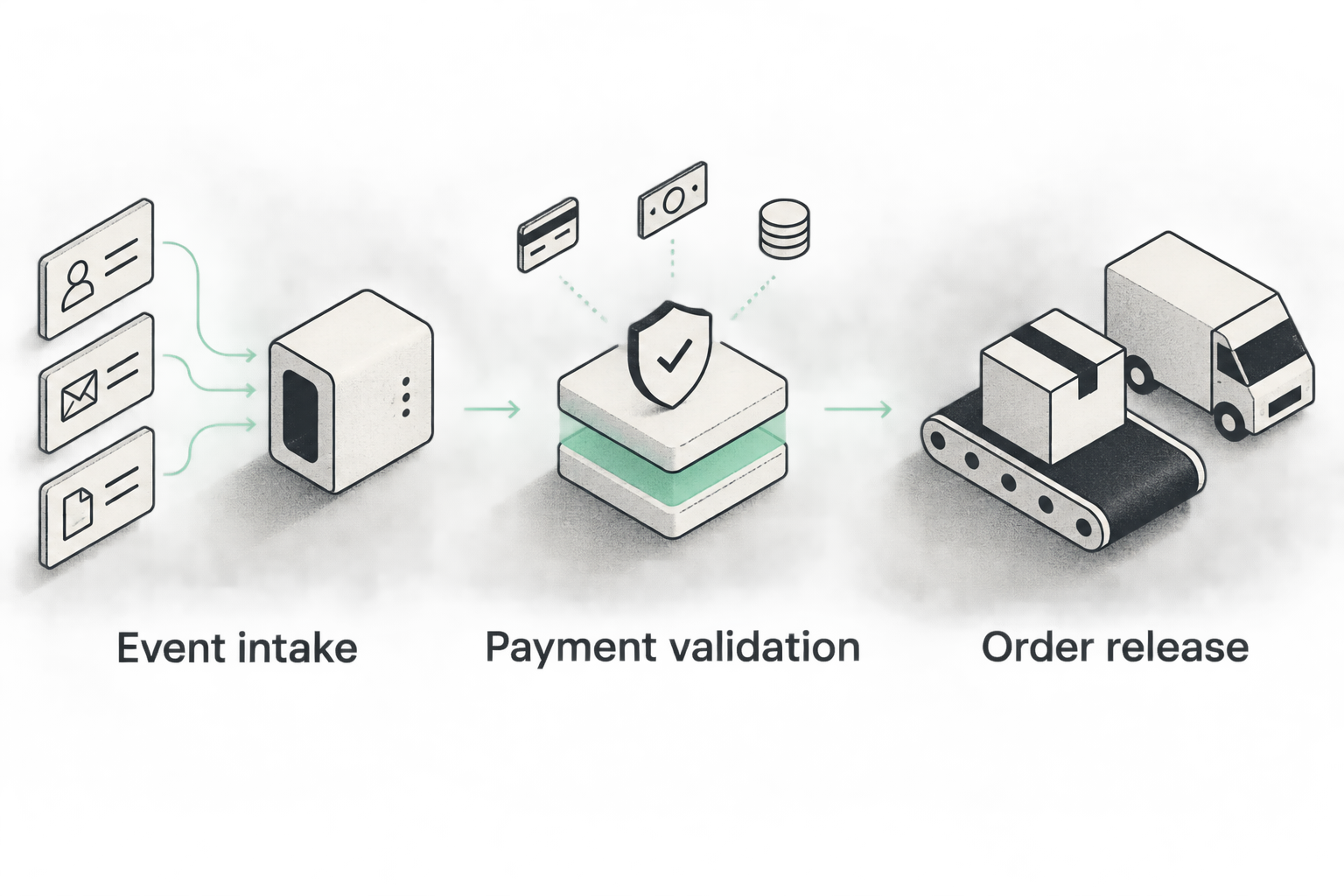
Duplicate-event protection and duplicate-fulfillment protection solve different problems. An event identifier can stop the same notification from being processed twice; an order-level release constraint protects against different notifications requesting the same business action.
Use both where the integration supplies the necessary identifiers. Never rely on an in-memory flag that disappears when a worker restarts.
Launch checks
Use a written 2026 acceptance checklist. These are test requirements, not claims about provider performance.
- Send 1 valid event through the complete test path. Confirm the correct order receives the intended fulfillment reference.
- Submit 2 deliveries representing the same payment notification. Require 0 duplicate releases in the resulting order history.
- Test an invalid authentication attempt, an unmatched order, and a payment that is not eligible for release. Each must stop before fulfillment.
- Interrupt the fulfillment destination and restart the worker. Confirm the job remains recoverable without creating a second action.
- Confirm that a test-environment event cannot update a production order. Inspect the actual destination, not just the worker's success message.
Expected result: your launch record proves the permitted path works and the blocked paths stay blocked. A successful endpoint response alone does not satisfy this checklist.
Keep exception handling staffed during the initial production release. Expand the rollout only after payment records, order records, and downstream fulfillment references agree.
Update access when a payment state changes
Initial fulfillment is not the only useful workflow. A separate state-change handler can flag an order for review when a documented later event changes its payment position.
Subscribe only to supported events. Define the action for each event in advance; do not turn every later notification into a new fulfillment request or automatic access cancellation.
| Workflow | Best for | Benefit | Limitation |
|---|---|---|---|
| Initial order release | Shipping goods or granting a purchased entitlement | Removes manual release from validated orders | Requires reliable order matching and duplicate protection |
| Payment-state review | Reviewing an already processed order after a relevant change | Brings payment changes into operations | Requires a separate response policy; it cannot reverse a shipment |
For membership access, distinguish the original purchase from a later entitlement change. For physical goods, route an actionable change to operations rather than pretending a shipped package can be recalled by changing a database flag.
Keep release and review as separate actions. They can share payment references without sharing the same business rule.
Troubleshooting
The same order is fulfilled twice
Check whether duplicate protection covers the business action or only the incoming event. Add an atomic order-level release constraint and retain the downstream fulfillment reference.
If the destination supports idempotency, reuse the same action key on retries. A fresh key makes each retry look like a new request.
The event arrives but no order matches
Inspect the stored order reference and the reference carried through checkout. Confirm the environment and business account before manually attaching a payment.
Put unmatched events into an exception queue. Do not create an order from an email address alone or silently discard a payment notification.
The buyer returns, but fulfillment stays blocked
A return page is not your payment authority. Inspect the documented payment state and determine whether the transaction remains unresolved or requires a buyer check.
Keep the order pending until the release conditions are satisfied. Do not tell the buyer that routing or another attempt guarantees approval.
The worker times out after requesting fulfillment
Look up the order in the destination using the stable action reference. If fulfillment already exists, record that result instead of submitting it again.
For your 2026 incident procedure, distinguish “request failed” from “result unknown.” The second state needs investigation before retrying an irreversible action.
Customize your workflow
Make Railbed your first provider conversation for this checkout model, then validate the integration contract against your release requirements. Bring your order states, fulfillment destination, buyer-verification questions, and duplicate-handling requirements to that discussion.
Ask for written answers on reserve requirements, access to settled funds, total fees, payment-state meaning, and supported event delivery. Do not infer those terms from USDC settlement alone.
Keep the financial workflow separate. A fulfilled order, a USDC settlement, and money received in a bank account are different records. Document the supported wallet and network, then confirm the conversion service's verification requirements, transfer instructions, and bank withdrawal process before moving funds.
For 2026 operations, assign owners for three exception queues: unmatched payments, failed fulfillment, and unreconciled settlement. One general inbox makes it harder to see which system needs attention.
Discuss your fulfillment requirements
Bring your order flow, buyer-check questions, and settlement requirements to the conversation.
Discuss your setupFAQ
How do I automatically fulfill an order after a Railbed webhook?
Use the documented authenticated payment event to start a validation job, then release the matched order only after its payment state meets your fulfillment rule. Confirm the supported event names, payload fields, and authentication procedure before implementation.
Should I fulfill an order as soon as any webhook arrives?
No. Authenticate the notification, match the order, validate the payment, and enforce duplicate protection before release. A notification is not automatically a successful-payment instruction.
How do I stop duplicate webhooks from shipping two orders?
Enforce an atomic order-level release constraint and retain the downstream fulfillment reference. Where supported, use a stable idempotency key so retries request the same action rather than a new one.
Does a successful buyer redirect prove payment is complete?
No. Use the documented server-side payment state as your release authority. A buyer returning to your site does not replace payment verification.
Does payment automation remove buyer ID checks?
No. Buyer checks depend on the provider and transaction, and merchant onboarding is a separate process. Your workflow must not bypass an unresolved payment or required verification.
Does USDC settlement mean the money is already in my bank?
No. USDC settlement and bank receipt are separate stages. Confirm the supported wallet, network, conversion procedure, verification requirements, and withdrawal instructions before treating a settlement as bank cash.
One last thing
Test the uncertain outcome, not just the failed request. Interrupt the connection after submitting fulfillment but before recording its response. Your recovery path should discover an existing shipment or entitlement rather than create another one.
That single test exposes whether your automation protects the business action—or merely processes the notification.