How do you take a card payment over the phone when you can't get a MOTO merchant account?
Send the caller an invoice link while you talk, and they type the card on a licensed provider's page. Why phone orders are riskier, PCI rules, and the steps.
Press the card to run an example sale.
To take a card payment over the phone without a MOTO merchant account, don't key the card in: send the caller an invoice link while you're still talking, and they type their card on a licensed card provider's page. Nobody at your business hears the number, so it never reaches your phone line, notes or staff.
This guide covers why phone orders are treated as a separate, riskier class of sale, what the PCI Security Standards Council says about card numbers spoken over the phone, and a step-by-step for one phone sale, a $180.00 repair visit, taken with a Railbed invoice: what you do, what the caller sees, and how you know it's paid before you hang up or roll the van.
Why phone orders need a MOTO merchant account
A MOTO merchant account is a card-not-present merchant account approved for mail order and telephone order sales, where the merchant types the card number the customer reads out. The networks treat those sales as card-not-present: Visa's rulebook (24 October 2026) files a Mail/Phone Order under the Card-Absent Environment, the same family as online sales.
Processors price and approve phone sales separately because they carry more fraud and more disputes. Stripe's MOTO payments guide (updated 6 November 2025) says "There's a higher likelihood of chargebacks with MOTO payments" and that a business starts with a merchant account "that is enabled for MOTO transactions". Adyen's virtual terminal guide (29 July 2026) gives the reason: "MOTO transactions can't use 3D Secure, since there's no way to authenticate a shopper who isn't present at checkout", so "chargeback liability for fraudulent transactions falls on you rather than the card issuer".
The evidence rules make phone fraud hard to fight afterward. The one phone-specific item in Visa's list of compelling evidence for a fraud dispute is "For a Mail/Phone Order Transaction, a signed order form", which most phone sales never produce. Mastercard's Chargeback Guide (13 May 2025) accepts "written correspondence" such as emails and text messages for mail and telephone orders. Which code a phone fraud claim arrives under is in chargeback reason codes in plain words.
What PCI DSS says about card numbers read over the phone
Reading a card number aloud brings the person, the phone and everything connected to it into PCI DSS. The PCI Council's information supplement Protecting Telephone-Based Payment Card Data (version 3.0, November 2018) says so directly, and calls phone payments "an area of opportunity for fraud as this method of payment exposes account data in the clear".
The same supplement sets out what that means for a small team:
- The security code can't be kept. If the code is "received and recorded, the entity MUST render all data unrecoverable upon completion of the authorization process", and that includes call recordings.
- Paper is in scope too. "If account data is ever written or printed on paper, ensure it is securely stored, then shredded when no longer needed."
- Not taking phone payments is an option the Council names. For businesses with "very small volumes of telephone payments" and a secure online channel, avoiding them "may provide a simple solution to mitigating a real business risk by avoiding the risk altogether".
The Council also describes the alternative this guide uses. In a "digital" method, the agent "sends the customer a link to a secure internet payment system", the customer "submits card account data into the payment page", and "The agent has the option to terminate the call whilst the customer progresses the transaction independently as an ecommerce transaction." The Council adds that the effect on a business's own PCI scope "would need to be evaluated", so treat a link as a large reduction in what you handle, not a certificate.
Keyed in or sent as a link: the same $180.00 call, two ways
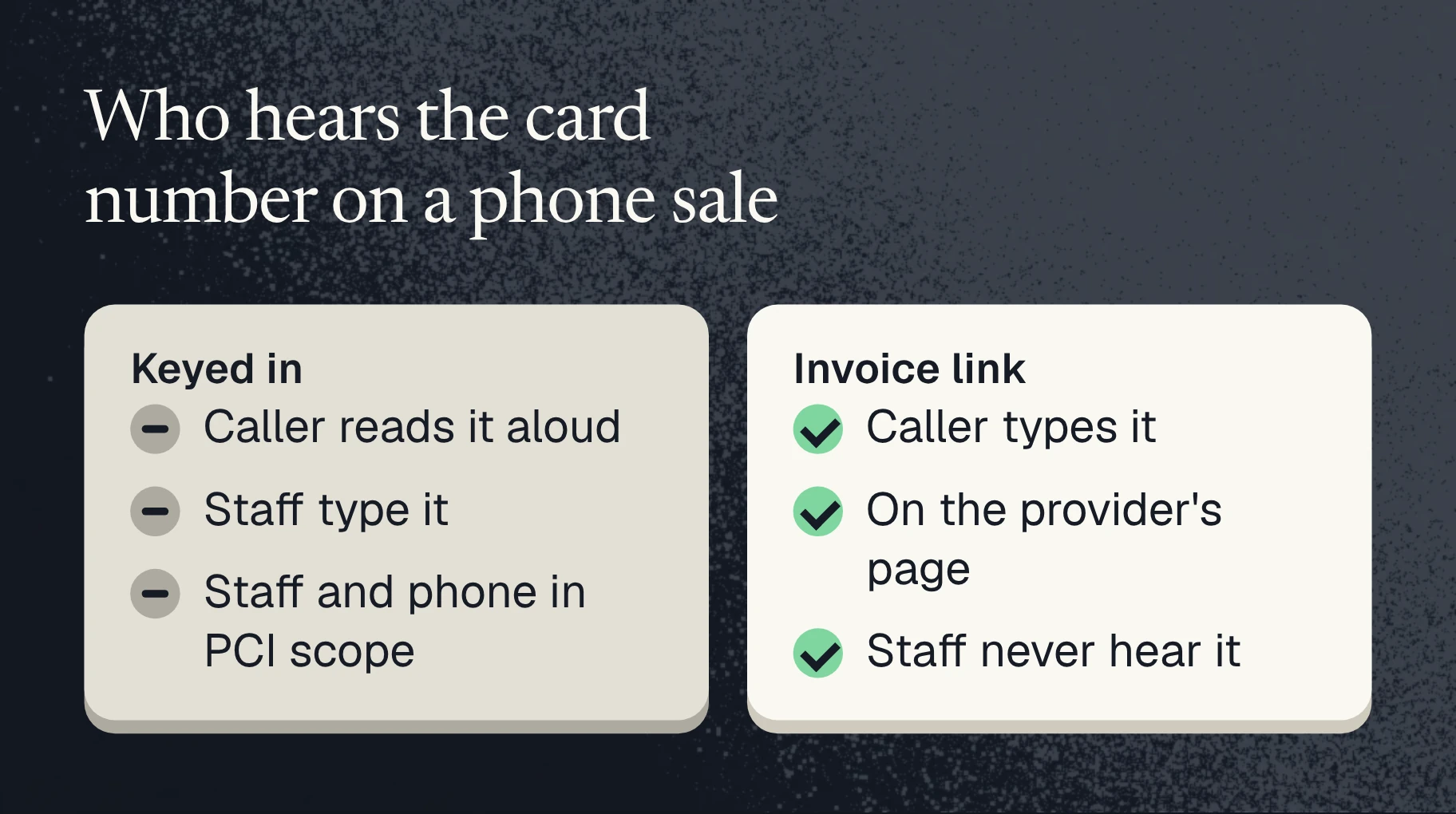
The two ways to take a phone payment differ in who types the card and who carries the risk. The table compares keying a $180.00 repair visit into a virtual terminal with sending the caller an invoice link.
| Keyed in during the call (MOTO) | Invoice link during the call | |
|---|---|---|
| Who types the card | Your staff, from what the caller reads out | The caller, on the card provider's page |
| Account you need | A merchant account enabled for MOTO | With Railbed, an account with no underwriting and no application to pass |
| 3-D Secure | Not possible | Up to the provider, with the caller present on its page |
| Card data in your hands | Spoken, typed, maybe written or recorded | None |
| Fraud disputes | Fall on you | Go to the provider that charged the card |
A link has two costs. The caller needs a phone or computer with a browser while you talk, and Adyen notes "Some customers can't access a link". And the card can still be declined on the provider's page, so the sale isn't done until the payment reads Paid.
How to take a card payment over the phone with an invoice, step by step
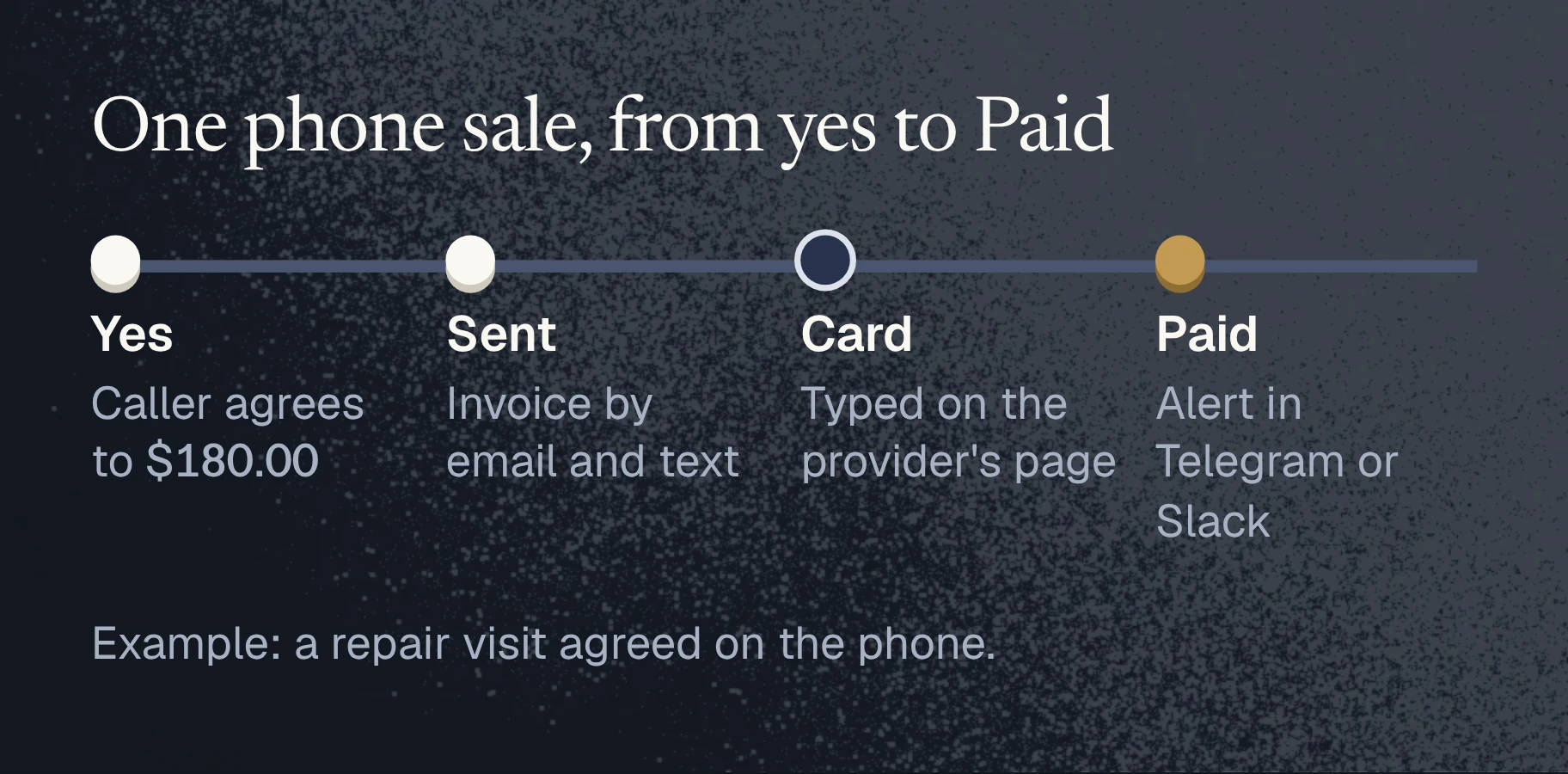
These steps take one $180.00 repair visit, agreed on the phone, from "yes" to Paid with a Railbed invoice. Railbed's own guide says to use an invoice "when you sell by quote, by phone or in person".
- Create the invoice while the caller is still on the line. On your phone, open the dashboard, choose Create, then Invoice. Enter the caller's name and email under Bill to, add one line, "Repair visit", at $180.00, and set When it's due to On receipt. If you use Railbed in Telegram, typing
/link 180 Repair visitmakes an invoice for one amount in the chat instead. - Send it two ways at once. Choose Send invoice to email it with its PDF, from "Your Business via Railbed", and copy the link from the Send it card to text it as well. An invoice made in Telegram isn't emailed by Railbed, so text or email its link yourself. The caller can also scan the QR code if they're standing in front of you.
- Tell the caller what they'll see. The invoice shows your name and logo, the line and the total. They choose Pay, give their email, choose Continue to pay and pick a card provider from the list (an invoice's default); the provider opens in a new tab, where they type their card and complete any checks the provider asks for.
- Stay on the line or hang up. The invoice moves from Sent to Viewed when they open it. You can wait and talk them through it, or end the call, as the PCI Council's method allows.
- Know it's paid before you act. The invoice reads Paid, and a Paid alert arrives in Telegram or Slack if you connected one. A connected system gets the
payment.paidwebhook. The caller gets a receipt by email, on by default for new invoices. - If the card is declined, the caller chooses Choose another way to pay on the same page and picks another provider before the payment expires. Your dashboard may still show In progress for a while, because Live declines happen on the provider's page and aren't reported to Railbed.
For a bigger job, the same invoice can take a deposit and the rest in parts, with a smallest first payment you set. A business with no website at all can follow payment link to first sale without a website.
If you sell by calling people: telemarketing merchant accounts
Outbound phone selling is its own case, and Visa's rules single it out. Visa's rules require an acquirer to "Not allow its Payment Facilitator to provide payment services to outbound telemarketers" (Brazil aside), and they give outbound telemarketing its own merchant category code, 5966.
The US Federal Trade Commission's guide to the Telemarketing Sales Rule covers businesses that "initiate or receive phone calls to or from consumers" as part of a plan "to induce the purchase of goods or services", and exempts a call from a consumer that is "not placed in response to a solicitation by the seller", among others. It requires material information to be given "before the consumer pays for the goods or services". Those duties come from how you sell, not from how the card is typed, so a link changes none of them.
Why Railbed fits a business that sells by phone
Railbed fits a phone-heavy business because the card never has to pass through your call. Card details are entered on the provider's own page, so Railbed's developer docs say an integration "stays out of card-data scope", and there is no underwriting and no application to pass: sign-up asks for an email, your website and a payout wallet.
Good to know:
- Railbed is web checkout only. There is no card reader and no virtual terminal for keying cards.
- The smallest card payment is about 2.00 USD, set by the providers, and an invoice total can be up to 100,000.00.
- A card can still be declined on the provider's page, and providers decide whether to ask for ID; Smart Routing puts the providers least likely to ask first but can't promise.
- Sales settle as digital dollars (USDC) to your own wallet. Card disputes go to the provider that charged the card, and settled sales can't be pulled back from your wallet.
- Fees: from 0.9% Railbed fee, a 1% network fee and the provider's own fee shown to the caller. No setup fee, no monthly fee, no reserve.
Send your next phone customer an invoice instead
Make an invoice during the call, send it by email or text, and watch it turn Paid. Sign up with an email, your website and a payout wallet.
Create your accountRead the invoices guide