What is card testing, and how do you stop a card testing attack on your checkout?
Card testing runs stolen card numbers through your checkout to find live ones. The signs, an example hour, and the defenses ranked by buyer friction.
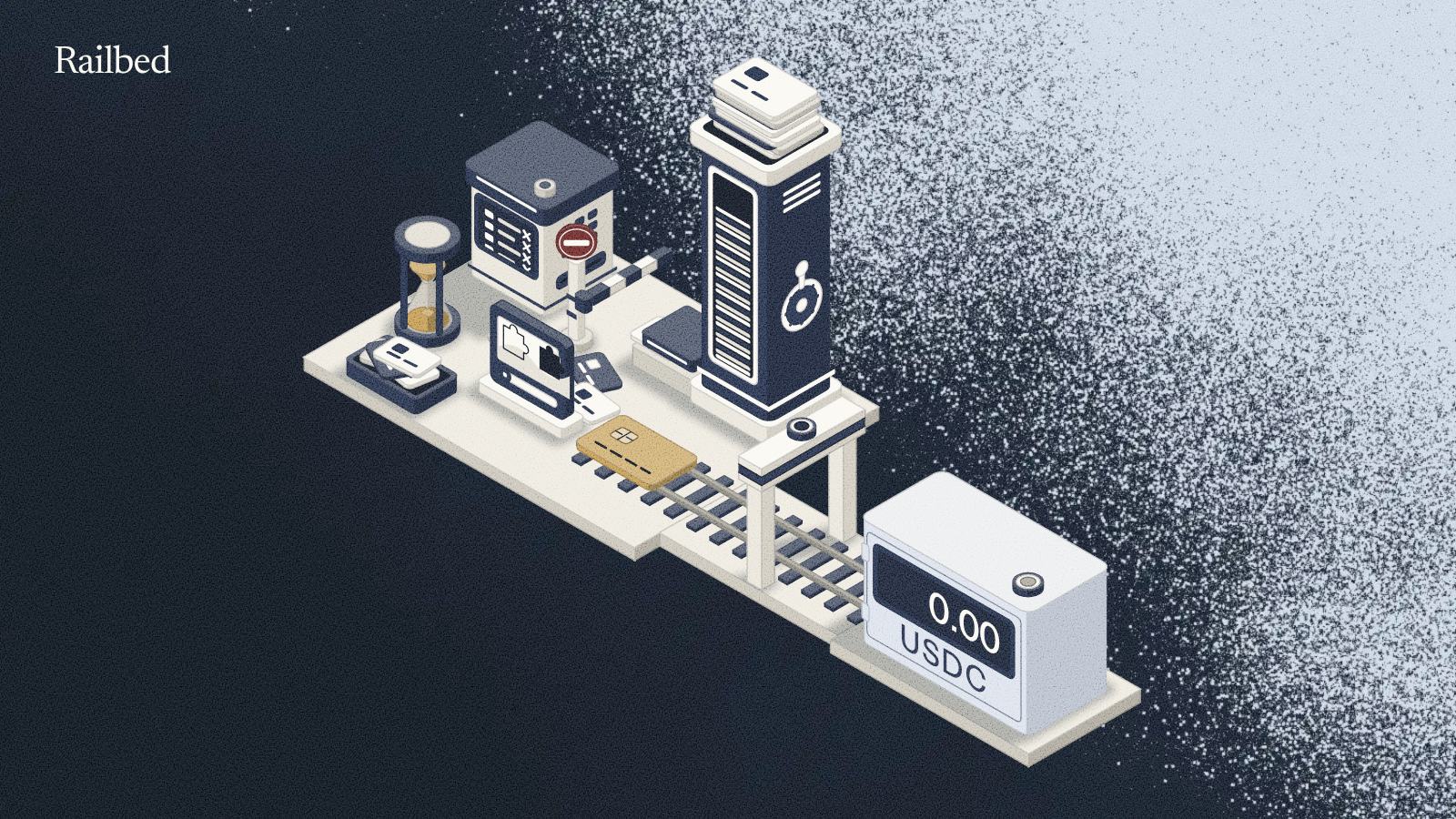
Press the card to run an example sale.
Card testing is fraud in which someone runs stolen or guessed card numbers through a checkout to learn which ones work. You stop a card testing attack with layers: rate limits and bot checks on every step that touches a card, required security codes, alerts on bursts of declines, and 3-D Secure.
This page uses the card networks' and processors' own words: Visa's merchant guide Enumeration Mitigation and Considerations for Merchants (version 1.3, June 2026) and Stripe's guide Protect yourself from card testing. It covers how an attack looks in your records, the defenses ranked by what each costs a real buyer, an example hour of an attack on a $25.00 gift box, and what changes when the card is typed on a card provider's page instead of yours.
What card testing is, in the networks' words
Card testing is the same thing as what Visa calls enumeration and the PCI Security Standards Council calls account testing. Stripe's definition: "Card testing is a type of fraudulent activity where someone tries to determine whether stolen card information is valid so that they can use it to make purchases", and it lists "carding", "account testing", "enumeration" and "card checking" as other names. Visa's rulebook defines an Enumeration Attack as "The systematic or routine submission of Card-Absent Environment Transactions into the Visa system to fraudulently obtain or validate payment information."
The attacker doesn't want your goods. They want the bank's answer: an approval tells them a card is live, and a decline tells them it isn't. Stripe notes that testers prefer card-saving steps, because "card validation and authorizations during card setup don't typically show up on cardholder statements", and that payment attempts use small amounts "which cardholders are less likely to notice". Visa's November 2026 analysis says enumeration-related fraud grew from 6% of global fraud in 2022 to 8.7% in 2025, and that more than half of suspected attempts were cross-border.
Why a small store gets picked
Visa's guide names the most common cause plainly: fraudsters "target legitimate eCommerce merchants that have weak fraud controls in place". A guest checkout with no bot check, an open-amount donation field, or a cheap item that can be bought without an account is the usual target. Visa specifically warns that sites accepting donations or "free-text payment amount" have been "specifically targeted".
The cost lands on the merchant even when the stolen cards fail. Stripe lists disputes on the charges that succeed, "Higher decline rates" that make issuers treat your later payments as riskier "even after card testing ceases", extra authorization and dispute fees, and strain on your site. The PCI Council's 2020 warning on account testing adds that a rising decline percentage is itself a signal. What a lost dispute costs in money is worked through in what a chargeback really costs.
The signs in your own records
The signs of card testing show up in your payment list before anyone complains. Stripe and Visa name the same patterns:
- A spike in failed or blocked payments, far above your normal daily count.
- Many small or identical amounts, often the cheapest item or the lowest open amount.
- Nonsensical customer names and emails, or the same email and device across many different cards.
- Approvals and declines clustered in one card range (BIN), which Visa says to alert on.
- Reversals right after approvals: Visa notes fraudsters "will immediately send a reversal after an authorization receives an approval".
- Time zone or browser language that doesn't match the card's country, which Visa says to treat as higher risk.
An example hour on a $25.00 gift box
This example shows why even a failed attack matters. A store sells a $25.00 gift box with guest checkout, and a script tries 600 cards in one hour. 540 are declined and 60 are approved.
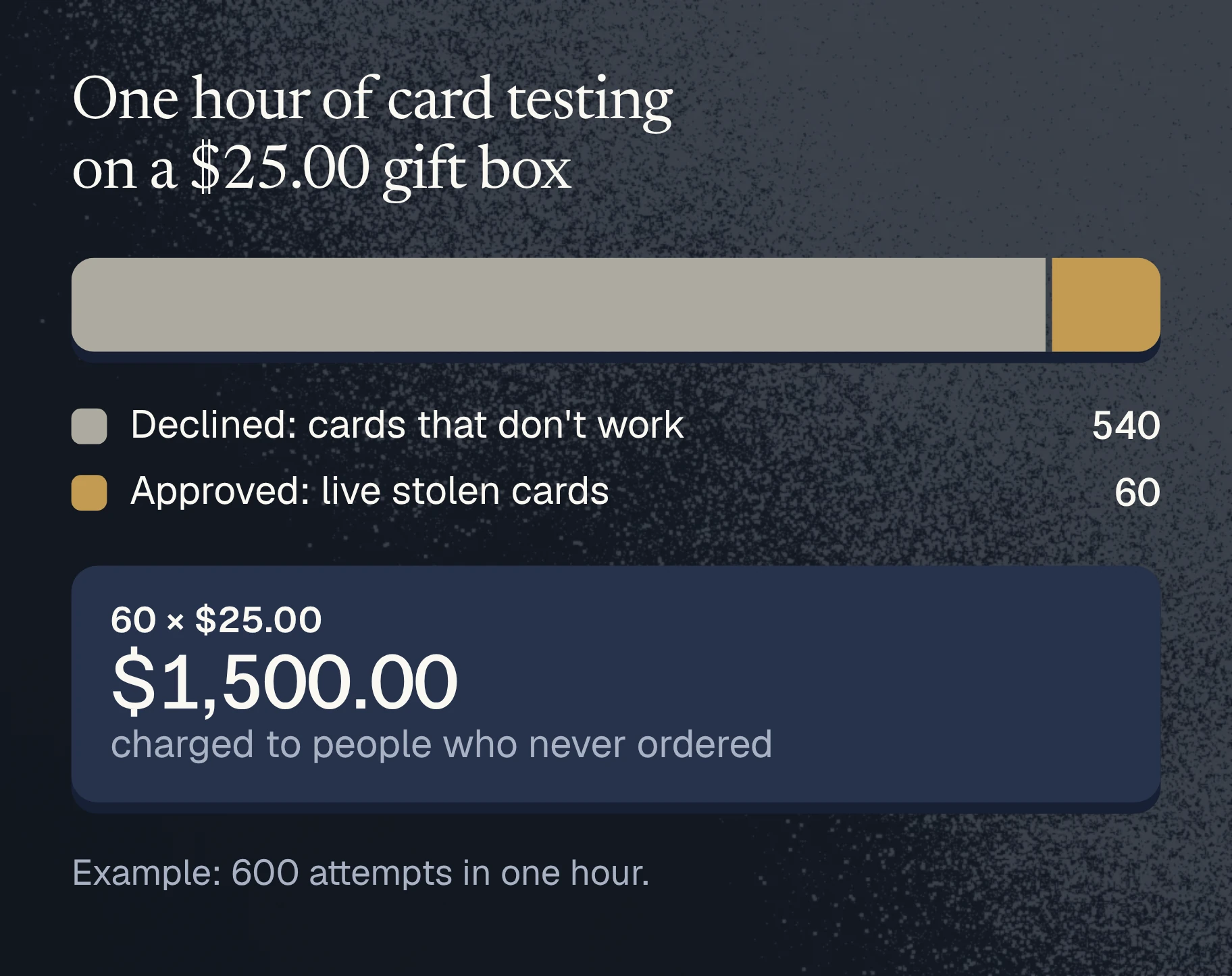
- 60 × $25.00 = $1,500.00 of approved charges on cards whose owners never bought anything. Each owner who notices can file a fraud dispute, the claim Visa codes 10.4 and Mastercard 4837 (reason codes in plain words).
- 540 declines in an hour, a 90% decline rate for that hour, recorded against your business.
- Visa's monitoring thresholds. Visa's Acquirer Monitoring Program fact sheet says Visa checks enumeration each month and requires acquirers to keep merchants from exceeding an enumeration ratio of 2,000 basis points (20%) and an enumeration count of 300,000 transactions. The sheet doesn't say whether one threshold or both must be crossed, so ask your processor how it applies them. Either way, the disputes, fees and declines above land on you first.
Stripe's advice for the approved charges is to refund them "to avoid disputes" and to hold the orders.
How to stop card testing: the defenses, ranked by what they cost a real buyer
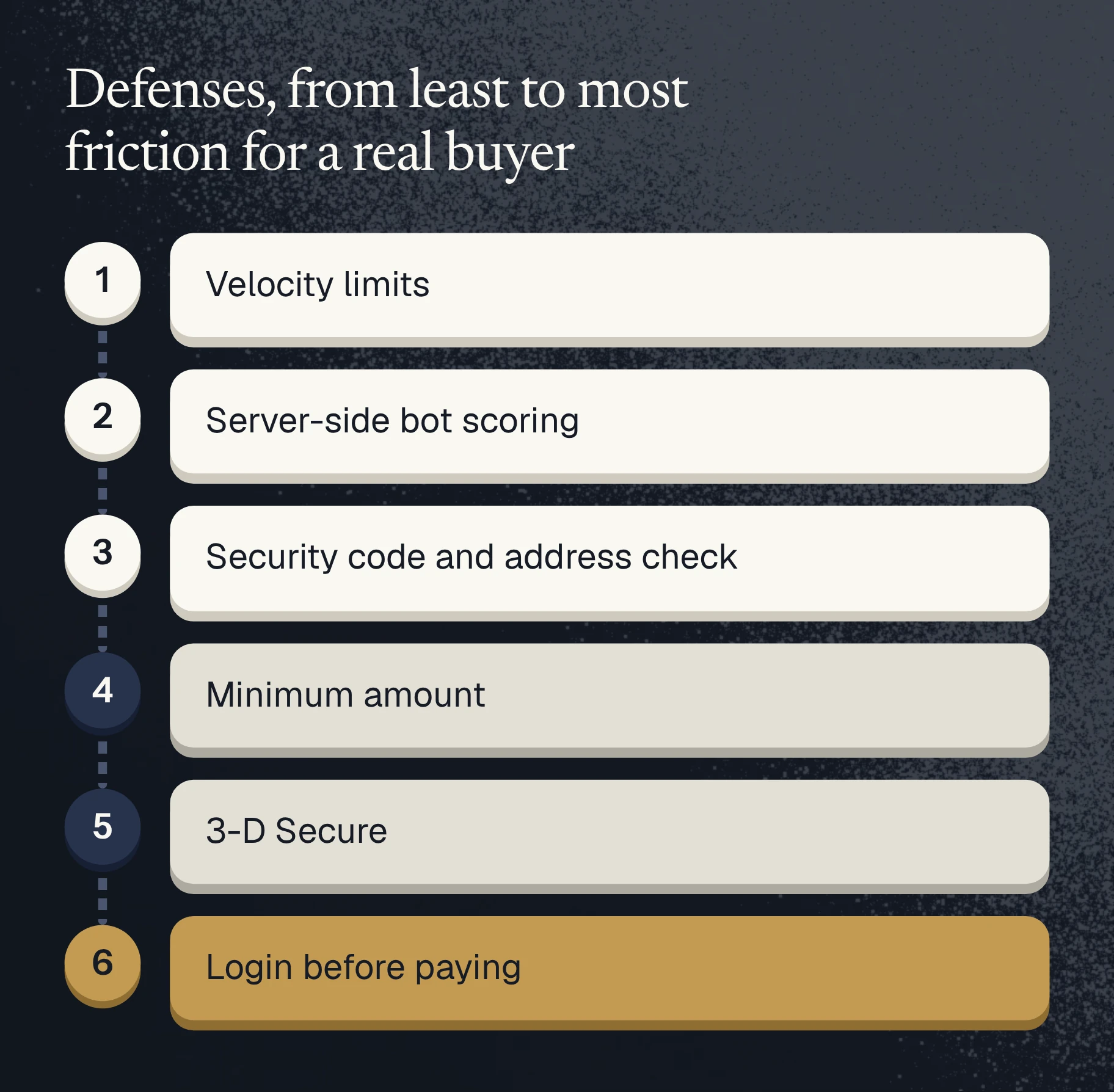
Every defense against card testing adds some friction, and the cheapest ones for your buyers are the ones to add first. The table orders the controls Visa and Stripe recommend from least to most friction for an honest buyer; the order is our judgment, the controls are theirs.
| Defense | What it stops | What a real buyer feels |
|---|---|---|
| Velocity limits per IP, device, email and card | Scripts retrying at speed | Nothing, unless they retry many times |
| Alerts on decline spikes, BIN clusters and reversals | Nothing by itself; tells you to act | Nothing |
| Server-side bot scoring (an invisible CAPTCHA) | Most automated scripts | Usually nothing; sometimes a challenge |
| Required security code and address check | Cheap brute force of the code and postal code | Typing what they already type |
| A minimum amount on open-amount fields | Tiny test charges | Can't pay a very small amount |
| 3-D Secure | Cards whose owner can't pass the bank's check | An extra bank step on some payments |
| Visible CAPTCHA on every payment | Most scripts, at a cost | A puzzle every time |
| Login or a session check before paying | Guest-checkout scripts | No more guest checkout |
Visa's guide gives concrete settings: prevent "five authorizations from one IP address or PAN within a set timeframe", "Limit the number of cards that can be added per 'account' and session", and require the code and address check on all card-not-present sales because doing so "significantly increases the cost and complexity of brute force attacks". Stripe says to make sure a CAPTCHA "requires validation on all requests that enable card validations or payments" and is checked on the server side. For donation and open-amount pages, Visa says to "Set a minimum amount threshold … as high as possible but is still appropriate for most donors".
Stripe also suggests combining controls, for example letting the first payment from an IP address through and asking for a CAPTCHA on that address's later attempts for several hours. Where 3-D Secure fits and what it doesn't cover is in which chargebacks 3-D Secure covers.
What to do during an attack
A card testing attack in progress needs containment first and tuning second. These steps come from Stripe's active card testing checklist and Visa's guide.
- Confirm it. Look for the spike in failed payments and the small, repeated amounts.
- Hold and refund the approved test orders before you ship anything.
- Add or tighten a control on the exact step being hit: the payment form, the card-saving step, or the API.
- Rotate your API keys if the attempts reach your API directly; Visa says to "Roll API keys if the card testing attacks are going directly to your API rather than the website form."
- Hide or raise the price of the target, such as an open amount or the cheapest item.
- Watch whether it stops, and adjust; testers change tactics once blocked.
Stripe also cautions against heavy retrying of declined cards after an attack, because "this repeats the original attack" in the issuers' eyes.
What changes when the card is typed on a provider's page
On a checkout where the buyer types the card on a licensed card provider's page, the card form a tester needs isn't on your site. With Railbed, "Card numbers, expiry dates and security codes do not pass through Railbed's servers": the buyer gives an email on Railbed's checkout page, then pays on the provider's page, where the card can be approved or declined.
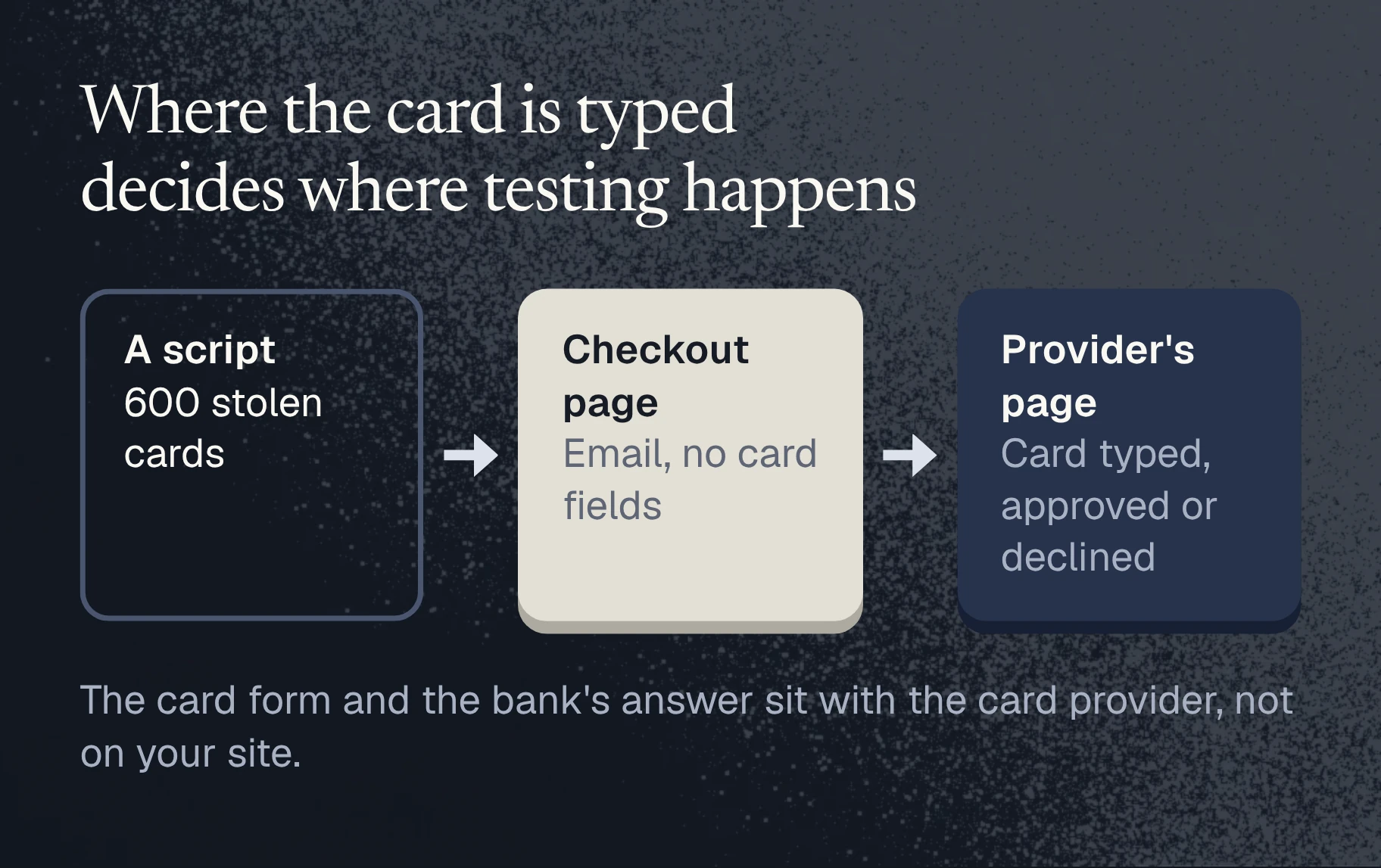
That moves the target; it doesn't make testing impossible. A tester can still start payments on your checkout and carry on at the provider. The difference is that the card fields, the security code check and the bank's answer sit with the provider, and the minimum order a card provider takes, about 2.00 USD, rules out the tiniest test charges. Railbed also never stores a card, so there is no card-saving step, the place Stripe says testers prefer.
Why Railbed fits a store that keeps getting tested
Railbed suits a merchant who would rather not host a card form at all. Its security page says sign-in, sign-up, "checkout starts and the API are rate limited to slow down credential stuffing and abuse", and its API has "no publishable key" for a script to lift from your pages, with about 120 requests a minute and 12 session starts a minute per mode.
Good to know:
- Live declines happen on the provider's page and aren't reported to Railbed, so a test run shows up as payments left Open or In progress that later expire, and in the No payment yet filter.
- In Railbed's Telegram alerts, Paid and Needs your decision are on to start; Checkout started is optional and shows a burst of new payments as it happens.
- A settled payment can't be reversed by Railbed. To refund a buyer, you send the funds back yourself, so hold suspicious orders before fulfilling them.
- Card disputes on approved charges go to the provider that charged the card; settled sales can't be pulled back from your wallet.
- Fees: from 0.9% Railbed fee, a 1% network fee and the provider's own fee. No setup fee, no monthly fee, no reserve.
Keep the card form off your site
Buyers type their card on a licensed provider's page, and sales settle to your own wallet. Sign up with an email, your website and a payout wallet.
Create your accountSee what your customer sees