My card sales are paid into my own wallet. What do I need to know and do?
A day-by-day first week for a business whose card sales land in its own wallet: keys, one sale traced, a little for network fees, a test transfer, books and refunds.
Press the card to run an example sale.
When card sales settle as USDC in your own wallet, the money is already yours: no processor holds it and there is no payout to wait for. In the first week, confirm who holds the wallet's keys, match one sale to its transaction on the explorer, keep a little POL for fees, send a small test to your exchange, and start your records.
This page is for a business that has just started taking card payments through a checkout like Railbed's and sees a wallet balance where it expected a bank deposit. One table explains what happened to the money; then comes a day-by-day plan for the first week, with the screen to open at each step.
What actually happened when the buyer paid by card?
The buyer's card was charged by an on-ramp provider, a licensed business that sells digital dollars, and what that provider bought with the payment landed in a wallet you control. That differs from two other things often described as "card payments in stablecoins", and the two get mixed up: in Railbed's own tests of AI search answers on November 23, 2026, one answer described this setup as if "the merchant typically still receives fiat".
The table compares the three, using each company's own page.
| Setup | Who pays with what | What the business ends up holding |
|---|---|---|
| Visa's USDC settlement (December 16, 2025) | Card issuers and acquirers settle with Visa in USDC, "without any change to the consumer card experience" | Nothing new: the release covers settlement between Visa and banks, not payouts to merchants |
| Stripe stablecoin payments | The buyer pays from their own crypto wallet | Dollars or local currency: payments "settle in your Stripe balance in your local currency" |
| Card checkout that settles to your wallet | The buyer pays by card on an on-ramp provider's page | USDC in a wallet whose keys you hold |
In the third setup, Railbed's checkout sends the buyer to a provider, and the payment network forwards what the provider pays to the payout wallet you saved, after the fees come out of the USDC that arrives: the on-ramp provider's own fee and spread, a 1% network fee, and the Railbed fee, from 0.9%.
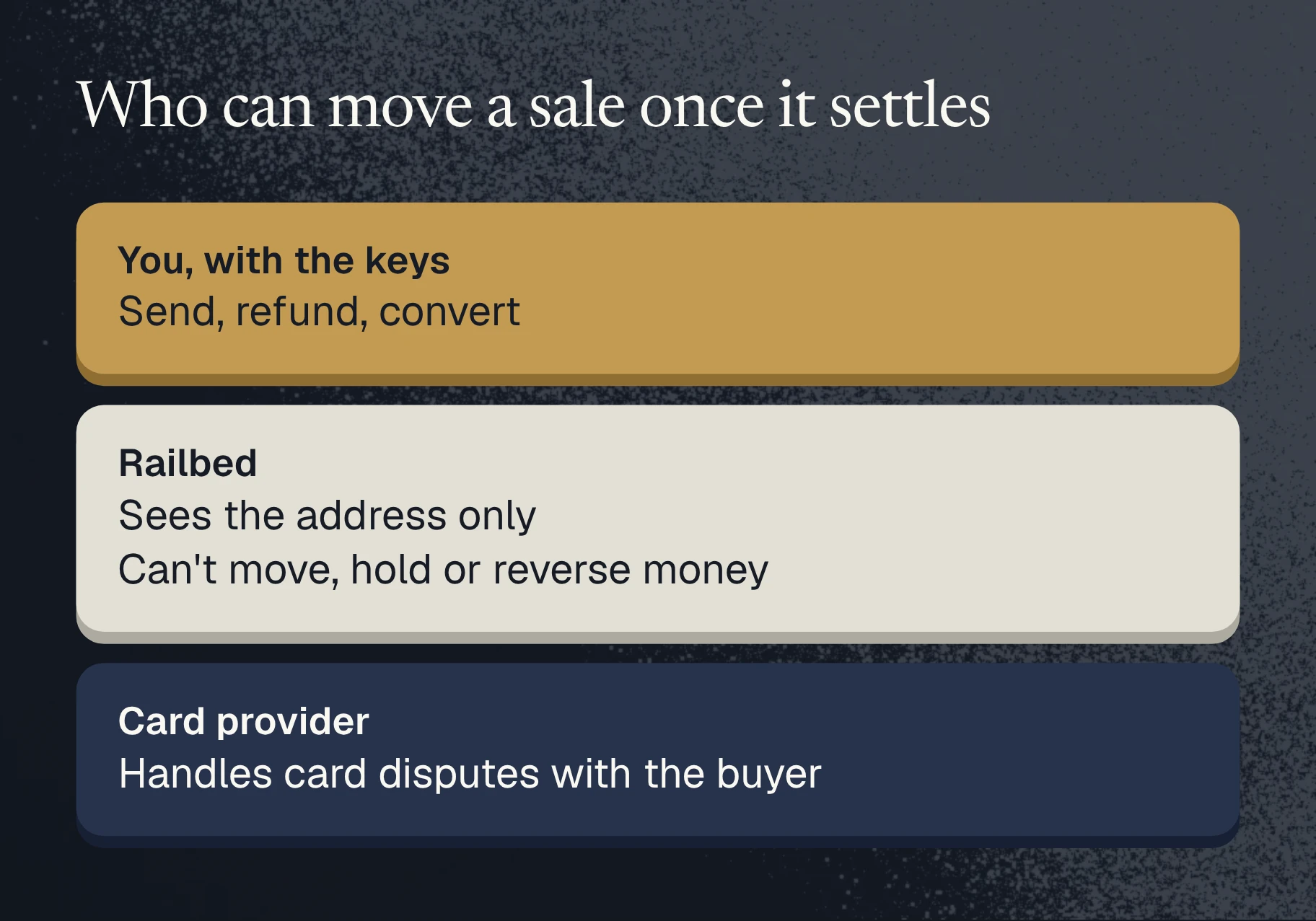
That shape decides most of what follows. Settled sales can't be pulled back from your wallet, and card disputes go to the provider that charged the card. Nothing is held back from your sales, and in exchange every later move, to an exchange, to a supplier or back to a buyer, is one you make yourself.
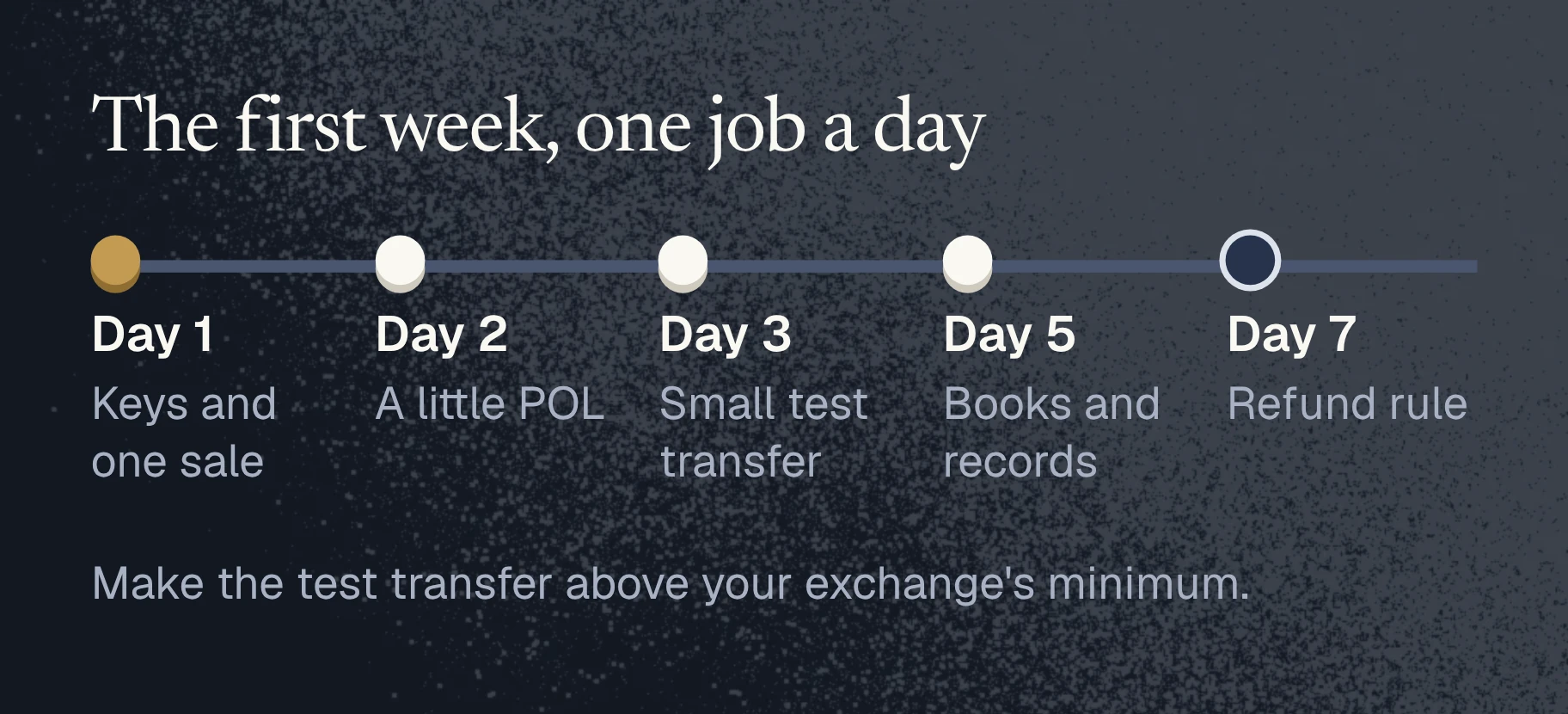
Day 1: who holds the keys, and which wallet is it?
The first job is to be certain which wallet your sales go to and who can sign for it. Open Settings → Payout wallet in the dashboard and compare the address, character by character, with the one your wallet app shows.
Then answer three questions in writing, for yourself or your business partner:
- Where is the recovery phrase? Anyone with the phrase controls the funds. If it lives only in one person's phone, a lost phone or a departed partner can mean lost sales.
- Who else should be able to reach it? A sole trader may keep one copy offline; a company with several owners may prefer a wallet that needs more than one person to sign. Smart wallets such as Safe or Base Account work as Railbed payout wallets, though the few card providers that pay on another network need an ordinary wallet.
- Who can change where sales go? In Railbed only an owner can change the payout wallet, and only after a sign-in from the last five minutes. A change signs out the business's other devices and emails the owners, so an unexpected email of that kind is worth acting on at once.
Connecting a wallet to Railbed reads only its public address and never asks you to sign anything or approve a transaction. No step in this list needs your recovery phrase, and nobody at a checkout or an exchange should ever ask for it.
Day 1, later: read one sale twice
The second job is to follow one real sale from the dashboard to the blockchain, so you know how to prove any payment later. In Payments, open a payment marked Paid and read two lines: You received, the net amount that reached your wallet in dollars, and Payout wallet, the address it went to.
Next, open the transaction in the payment's timeline that forwarded the money to your wallet (the API calls it txid_out). It opens on Polygonscan, the public explorer for Polygon, where you should see:
- the token, which for native USDC is "USD Coin (USDC)" with the contract ending
3359on Circle's list of USDC contracts; - your wallet address as the recipient;
- the same amount as You received.
If a payment reads Not reported yet, the sale counted as paid before the amount that reached your wallet was reported; the dashboard waits rather than guess. The step-by-step guide to reading Polygonscan covers every field, and USDC or USDC.e on Polygon explains why the contract address, not the name, is the check that counts.
Day 2: put a little POL in the wallet
Receiving USDC costs you nothing, but sending it needs a network fee, paid in POL, Polygon's own token. Polygon's migration notice said that from September 4, 2024 every transaction on Polygon PoS "will use POL as the native gas token"; older guides call it MATIC.
The amount is small. On November 23, 2026, one 100 USDC transfer on Polygon paid 0.0195 POL in fees, which Polygonscan valued at $0.0015. Some wallets can take the fee from your USDC instead: MetaMask's gas included transactions list Polygon and USDC, with "a small MetaMask fee". Do you need POL to move USDC on Polygon? has the measured figures and the ways to get your first POL.
Day 3: send a small test to your exchange
Before you move a week of sales, send a small amount on the right network and watch it arrive. A transfer on the blockchain can't be called back, so the test is what catches a wrong address or a wrong network while the cost of the mistake is small.
- On the exchange, choose to deposit USDC and pick Polygon as the network. Copy the address it shows.
- In your wallet, send USDC on Polygon to that address. Check the first and last six characters after pasting.
- Wait for the exchange to credit it, then send the rest.
Size the test to the exchange's minimum. Kraken's deposit minimums page lists 2 USDC for USDC on Polygon and warns that "deposits below the required minimum will be marked as 'Failed' and the funds will be permanently lost". Kraken also stopped taking USDC.e deposits on Polygon on November 16, 2026, while "native USDC remains supported".
Open the exchange account in the business's name if the money is the business's. What each route costs and what a business account asks for are in how to turn USDC into dollars in a business bank account, and if a test goes to the wrong place, start with what to do after sending USDC on the wrong network.
Day 5: set up the books and a records folder
The books need one new account and a habit of saving four things per sale. In your accounting software, add an account for the wallet (for example "USDC wallet, Polygon") and record each sale at its dollar value when it arrived, with the fees that came out of it beside the sale.
The IRS's digital assets page says "digital assets are considered property, not currency", lists stablecoins among them, and says that for a digital asset received "in exchange for goods or services in a business context", the income "would be taxed as ordinary income or a loss". It asks for records of the "fair market value as measured in U.S. dollars" of digital assets received as payment, and lists paying "a transfer fee with digital assets" among the ways of disposing of one. How that applies to your business is a question for a tax professional; what you can do this week is keep the evidence:
- the Railbed payment ID and the order it belongs to;
- the transaction hash from the payment's timeline;
- the dollar amount under You received;
- each exchange deposit, sale and bank withdrawal statement.
Those four lines are what an accountant needs to match sales to withdrawals, and what you will want if a bank asks where a deposit came from.
Day 7: write down your refund rule
There is no refund button, because the money is no longer anywhere a checkout can reach. Railbed's terms say it "cannot refund, reverse, cancel or claw back a payment", and that refunds are between you and your buyer, "for example by sending USDC back to the buyer or by another arrangement you agree with them".
Decide now how you will do it: in USDC to an address the buyer gives you, as store credit, or another way you can state in your refund policy. Recording a refund in WooCommerce or through the API moves no money, so the transfer is always a separate step from your wallet. A buyer who disputes the charge with their bank instead deals with the provider that charged the card, not with your wallet.
What arrives differently
A few card providers pay a different coin or on a different network, into the same wallet address. Apple Pay as a provider of its own pays USDC or USDT on Ethereum, Alipay and WeChat Pay pay USDT on Ethereum, Rampnow pays ETH on Ethereum, Venmo pays PayPal USD on Ethereum, and Cash App pays USDT on BNB Chain.
The dashboard shows all of them in dollars, but the Your wallet card on Home reads only USDC on Polygon, so a sale paid on Ethereum shows in your wallet app and on that network's explorer, not in that balance. Send each coin on the network it arrived on, and keep a little ETH or BNB for fees on those networks.
When this setup fits and when it does not
Settling to your own wallet fits a business that card processors turn away or keep freezing, and that is willing to hold keys and make its own transfers. In return, Railbed holds no balance, so there is nothing for it to freeze and nothing held back as a reserve.
It fits less well if you want every sale to arrive in a bank account with no extra step. A processor that pays out in dollars, or Stripe's stablecoin payments, which settle into a Stripe balance in local currency, does that for you if it will take your business.
Check your first sale end to end
Open a paid payment, read You received and the payout wallet, and follow its transaction to the explorer. The wallet and settlement guide shows each screen.
Read the wallet and settlement guideCreate an account