Can BTCPay Server accept credit cards, and how else can card sales reach a wallet you control?
BTCPay Server takes Bitcoin, not cards. Its one card plugin pays into a processor balance. What each route from a card sale to a wallet you control asks you to trust.
Press the card to run an example sale.
BTCPay Server does not process credit cards itself: its core takes Bitcoin, on-chain and over Lightning, straight to a wallet you control. A community plugin can put a card form in a BTCPay checkout, but it charges through your own processor account, so that money lands in the processor's balance under its rules, not in your wallet.
This page reads BTCPay Server's own documentation and plugin directory as they stood on November 23, 2026, then sets out the four ways to take card buyers and still end up holding the money yourself, with what each one asks you to trust. It is for merchants who run BTCPay Server, or are weighing it, and whose buyers have a card and no crypto.
What does BTCPay Server accept on its own?
BTCPay Server accepts Bitcoin on its own, on-chain and through the Lightning Network, plus a set of altcoins you opt in to. Its general FAQ calls it "a free and open-source cryptocurrency payment processor which allows you to receive payments in Bitcoin (on-chain and via the Lightning Network) and altcoins directly, with no fees, transaction cost or a middleman."
The custody model is why merchants choose it. BTCPay's user guide says the software "records payments sent directly to wallets controlled by the merchant" and "does not hold funds as a payment intermediary." The FAQ adds that invoice addresses "are derived from the xpubkey of the wallet associated with the store." Nobody else's address sits between the buyer and you.
Beyond Bitcoin, the altcoin FAQ is plain about priorities: "Bitcoin is the only focus of the project and its core developers." Litecoin, Liquid Bitcoin, Monero and Zcash are opt-in integrations, some of them plugins. For dollar stablecoins, the plugin directory listed a Tether USDt plugin, "Accept USD₮ with BTCPayServer on TRON, Ethereum or Polygon", in November 2026. All of these take coins from buyers who already hold them.
The software is free ("there are no subscriptions, no transaction fees"), and the deployment guide prices one-click hosting at roughly $10 to $30 a month. The upkeep is yours: the FAQ says BTCPay Server "is not a company; there is no e-mail, live-chat or phone support."
Is there a credit card plugin for BTCPay Server?
Yes, one: Stripe Payments, a community plugin in BTCPay Server's plugin directory. The directory describes it as "Support online fiat payments via Stripe through options like credit card, Apple/Google/Samsung/WePay Pay, Paypal, SEPA, etc". On November 23, 2026 its listing showed version 1.0.13, a creation date of January 26, 2026 and a minimum BTCPay Server version of 2.3.7.
The plugin's README lists "A Stripe account" as a requirement. You paste in your Stripe keys and "set the Settlement Currency (e.g., USD, EUR, GBP)". A buyer who picks the card option "enters their payment details in Stripe's secure Payment Element", and then, in the README's words, "On successful payment, BTCPay Server records the payment and updates the invoice."
BTCPay records the payment. Stripe holds the money. Three things follow for a merchant who wanted self-custody:
- The money is a Stripe balance, paid out to a bank. Stripe's payouts documentation says "Stripe sends funds from your available balance to your bank account as payouts", and that a first payout typically completes "within 7–14 days, depending on your industry, country of operation, and risk level."
- Disputes come out of that balance. When a cardholder disputes a charge, Stripe's dispute documentation says it "debits your Stripe balance for the disputed amount plus a dispute fee." The plugin logs the notification and nothing more.
- Your business has to fit Stripe's list. Stripe's restricted businesses page, last updated September 22, 2026, lists gambling and "pornography and other mature audience content" under prohibited businesses, along with "any artificial-intelligence generated content that meets the above criteria". If a Stripe refusal is what sent you to BTCPay Server, the plugin brings you back to Stripe. A separate article reads Stripe's restricted list trade by trade.
So the plugin gives you one checkout page and one invoice list for card payers and crypto payers. It does not give you card money in self-custody.
Two other directory entries can look like card support and are not. MarkPaid Checkout lets you "record payments from other systems directly through BTCPay (Cash, Credit, etc)": bookkeeping for money taken elsewhere. Boltcards Extension lets you "program a batch of Boltcards" and lets their users "top-up their cards": Lightning cards, not a way to charge a buyer's Visa or Mastercard.
The directory does show what a fiat-in, crypto-out plugin looks like for other payment methods. Mavapay Naira Checkout lets buyers "pay with naira (NGN) while you receive in Bitcoin", and a Pix plugin accepts "Pix payments automatically converted to Liquid stablecoins using DePix." Each is named for the outside service that does the conversion. No listing in the directory described the same for cards on the day we read it.
Why doesn't BTCPay Server process cards in its core?
BTCPay Server's contributors have treated card processing as work for a third party, because someone has to be trusted with the fiat side. The request was filed on GitHub in July 2019 as "Pay with fiat, merchant receives bitcoin", and a contributor closed it in February 2020 with this reasoning:
Since for anything fiat, trusted-third-party is needed, it's best we leave this on providers like the above mentioned.
A later reply on the same thread says it is "not, AFAIK, a feature that will be implemented in BTCPay Server core code." The Stripe plugin is what arrived instead.
That reasoning applies to any software, not only BTCPay Server. Charging a card takes a company with access to the card networks, and code on your own server does not have that. So "cards with self-custody" never means that no company touches the money. It means a company charges the card, and what reaches you afterward is an asset you hold yourself.
What are the options for card payments with self-custody?
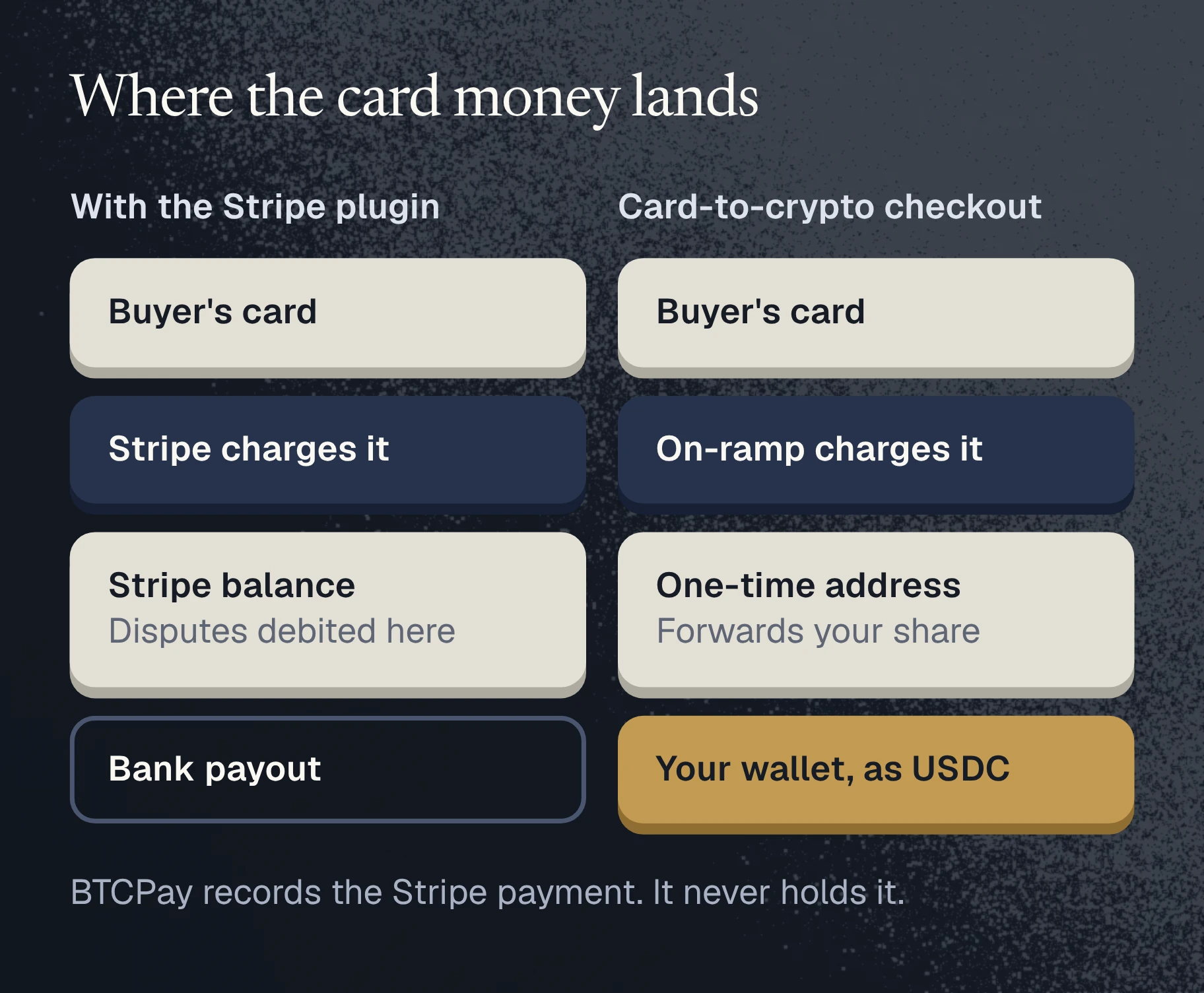
There are four routes to card buyers for a BTCPay Server merchant, and they differ in who charges the card and what you hold afterward. This table sets out each route by those two things and by what it asks of you.
| Route | Who charges the card | What you hold | What it asks of you |
|---|---|---|---|
| BTCPay Server plus the Stripe plugin | Stripe | A Stripe balance, paid to your bank | An approved Stripe account |
| Buyers convert on their side | The buyer's own exchange or wallet app | Bitcoin in your wallet | Buyers who have such an app |
| An on-ramp's widget as your checkout | The on-ramp | Crypto at your address | The on-ramp's agreement to that use |
| A hosted card-to-crypto checkout | An on-ramp provider the checkout routes to | USDC in your wallet | Trust in the hosted software |
BTCPay Server plus the Stripe plugin is the right answer when Stripe accepts your business and you want one checkout for everything. The card side is not self-custody.
Buyers converting on their side keeps everything inside BTCPay Server. You show a normal Bitcoin or Lightning invoice, and a buyer without bitcoin pays it from an app that buys bitcoin for them. This is the route a BTCPay contributor pointed to on the same GitHub thread in January 2021, naming a Lightning app whose user pays "in fiat and you receive BTC" while you show "the invoice page through BTCPay Server to your customers as usual." You hold bitcoin and trust nobody new. The price is friction: a buyer who expected a card form has to open an account with such an app first, and whether one serves the buyer's country is up to that app.
An on-ramp's widget as your checkout means embedding a licensed on-ramp's purchase widget so the buyer buys crypto that is delivered to your address. Whether a merchant may use the widget that way depends on the on-ramp's own terms, so read them before you build on one. A separate article covers whether a merchant can use a crypto on-ramp as its checkout.
A hosted card-to-crypto checkout puts one checkout page in front of several on-ramp providers and passes each buyer to one of them. The provider charges the card, buys a stablecoin and sends it on-chain toward your wallet. Railbed is a service of this kind. Gateways in this category differ on the point that matters most to a BTCPay user, which is whether the gateway itself ever holds your money, so check who holds the funds and for how long before you pick one.
What do you trust a hosted service such as Railbed for?
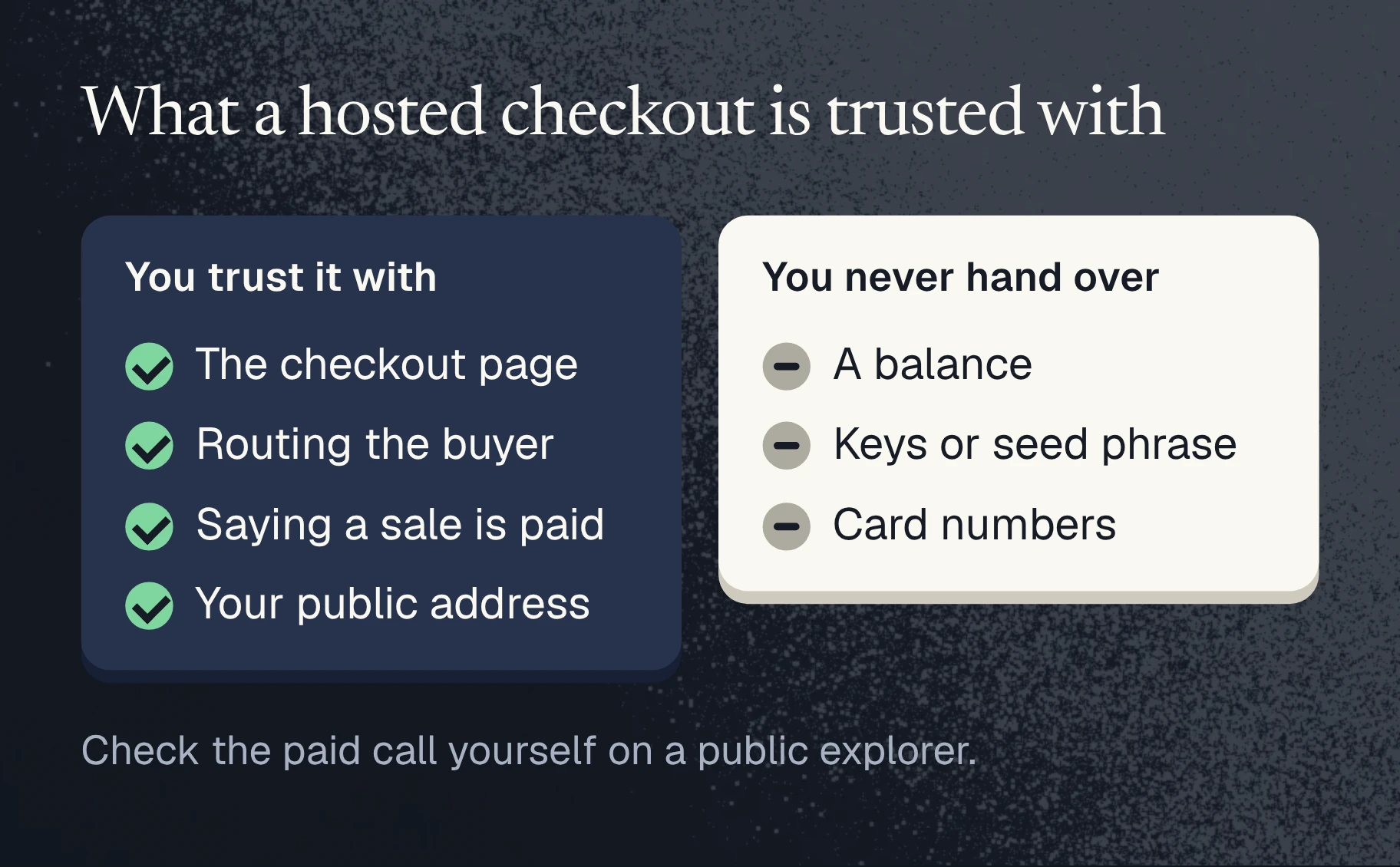
You trust Railbed's software to run the checkout, route the buyer and tell you truthfully when a sale is paid. You do not trust it with a balance, your keys or your buyers' card numbers. BTCPay Server asks for less trust than that, because the only software in the path is your own. This table puts the two side by side on what a self-custody merchant asks about.
| Question | Self-hosted BTCPay Server | Railbed (hosted) |
|---|---|---|
| Who runs the software? | You, or a host you pick | Railbed. It cannot be self-hosted |
| Where do payment addresses come from? | Your own wallet's xpub | A one-time deposit address from the payment network, which forwards your share to your saved wallet |
| Who decides a sale is paid? | Your server, reading the chain | Railbed's settlement check, which you can confirm on a public explorer |
| What do you receive? | Bitcoin, or a coin you opted in to | USDC on Polygon for almost every card provider |
| What does it cost? | Hosting and network fees | Railbed's fee from 0.9%, a 1% network fee, and the card provider's own fee and rate |
In practice the trust comes down to five things.
- The checkout is up. If Railbed's hosted page is down, your card checkout is down. Railbed publishes a status page.
- Your payout address is stored and used correctly. Railbed needs only the public address of your wallet, and connecting one "never asks you to sign anything or approve a transaction". Only an owner can change the address, after a sign-in from the last five minutes, and a change signs out other devices and emails the owners. The wallet and settlement guide has the details.
- The path from the provider to your wallet. The card provider sends USDC to a one-time deposit address created by the payment network Railbed is built on, and your share is forwarded to your wallet after fees. Railbed never holds it, but between the provider's payment and the forward the money is on a path you did not build. Self-custody starts when it lands.
- The "paid" decision. Railbed marks a payment paid after checking that "the right amount reached the right wallet, and the transaction hasn't been counted before." You can test that yourself: each payment links to its transaction, and you can check the arrival on Polygonscan.
- Your order and customer records. They live in Railbed's dashboard, not on your server.
What you never hand over: a balance (Railbed keeps none for you, so there is no payout to request), private keys or a seed phrase, and card numbers, which buyers enter on the provider's page. Settled sales can't be pulled back from your wallet. The card side keeps rules of its own: a buyer can dispute a charge, and the provider that charged the card handles the dispute under its own terms.
Which route fits which merchant?
Stay with BTCPay Server alone if you want bitcoin, want no third party at all, and sell to buyers who already hold crypto. No hosted service matches that, and Railbed does not try to: card sales through Railbed arrive as USDC, not bitcoin, and you cannot run Railbed on your own server.
Add the Stripe plugin if Stripe accepts your business and you are content for card revenue to sit in a Stripe balance and reach you through a bank.
Look at a hosted card-to-crypto checkout when mainstream processors turn your business away, or you do not want a processor balance at all, and your buyers pay by card. With Railbed that means no underwriting and no application to pass. It also means limits to know before you start. Sales arrive as USDC, so getting dollars into a bank is a step you take yourself through an exchange or wallet app. There is no refund button: to refund a buyer you send funds back yourself. The card providers decide whether to ask a buyer for ID. The smallest card payment is about $2.00, the providers' minimum.
The two tools do not exclude each other. BTCPay Server and Railbed are separate checkouts with no integration between them, so a store can show a BTCPay invoice to buyers who hold bitcoin and a card checkout to everyone else.
FAQ
Can BTCPay Server convert payments to dollars or euros?
Not in its core. BTCPay Server's FAQ answers "Fiat conversion is available through various BTCPay Server plugins", and the plugin directory lists, for example, a euro off-ramp and a plugin for peer-to-peer sell offers. Each relies on an outside service.
Does a third-party BTCPay host take custody of my funds?
No, according to BTCPay Server's deployment guide: "3rd Party BTCPay hosts do not control user funds", because payments go directly to your wallet and your private keys are never uploaded to the server. The host does run the software your checkout depends on.
Is Railbed a BTCPay Server plugin or a fork of it?
No. Railbed is a separate hosted service with its own checkout, dashboard and API, and BTCPay Server is not among its integrations. Both send money to a wallet you control, by different means and in different assets.
{"heading": "Follow one card sale to a wallet you control", "description": "Railbed's docs walk through a payment from the buyer's card to your wallet, step by step, including what Railbed checks before it calls a sale paid.", "buttons": [{"label": "Read how a payment works", "url": "https://railbed.com/docs/how-it-works/"}, {"label": "Create an account", "url": "https://app.railbed.io/signup"}]}